Integration with RedTrack
This guide explains how to integrate ZM apps with RedTrack to track every event and send the corresponding conversion events back to RedTrack correctly.
Follow the steps below to complete the setup.
Step 1. Create Lead and Purchase Conversions
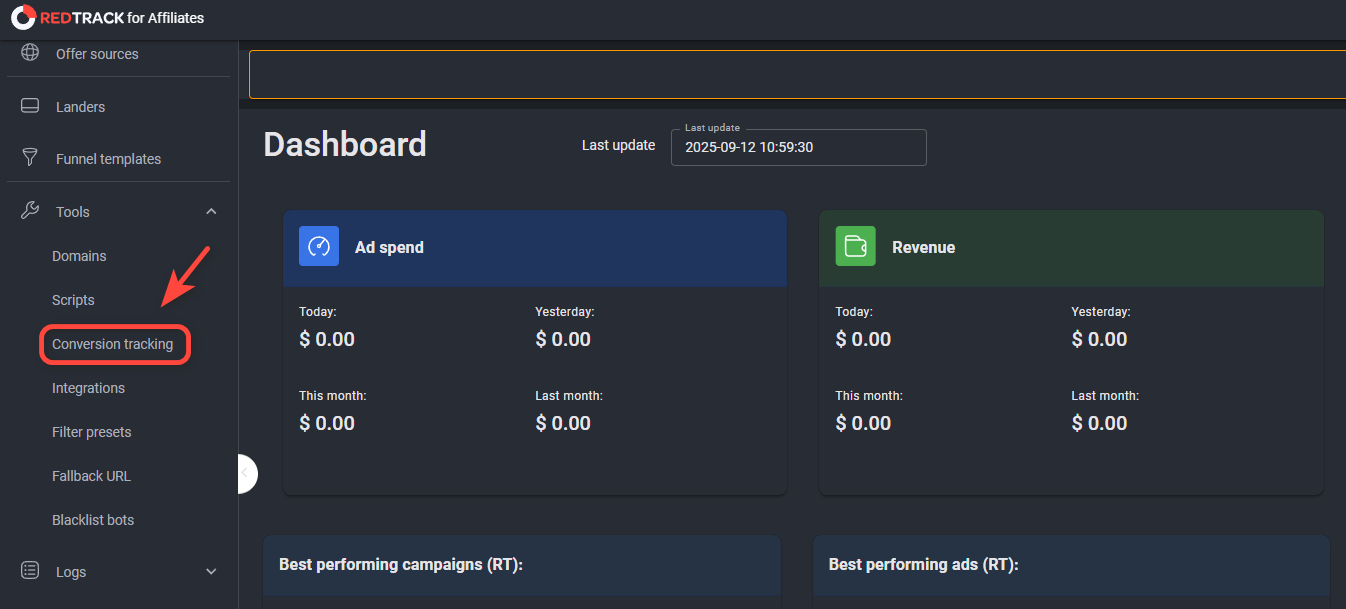
- In RedTrack, go to Tools → Conversions Tracking.
- Create two separate conversion types:
- Lead — for user registrations (
reg) - Purchase — for user deposits (
dep)
- Lead — for user registrations (
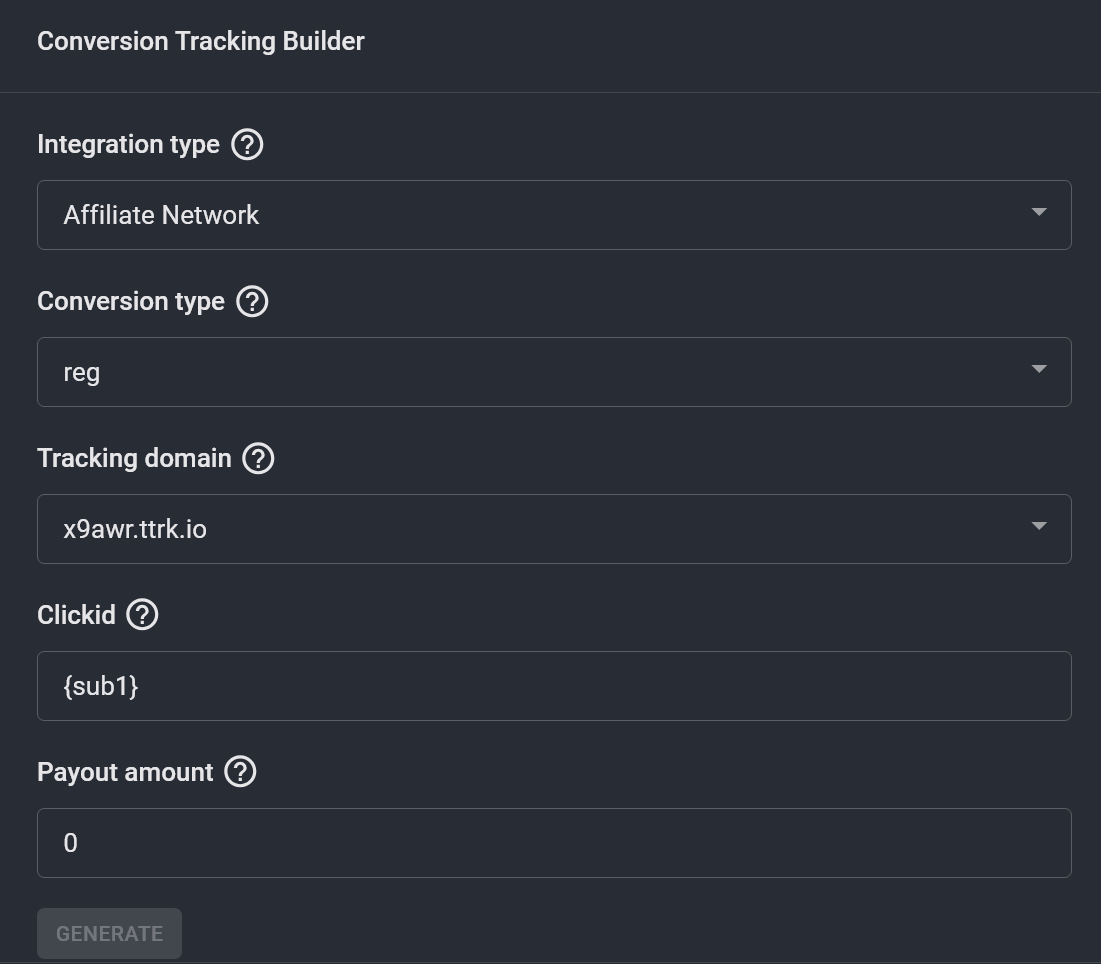
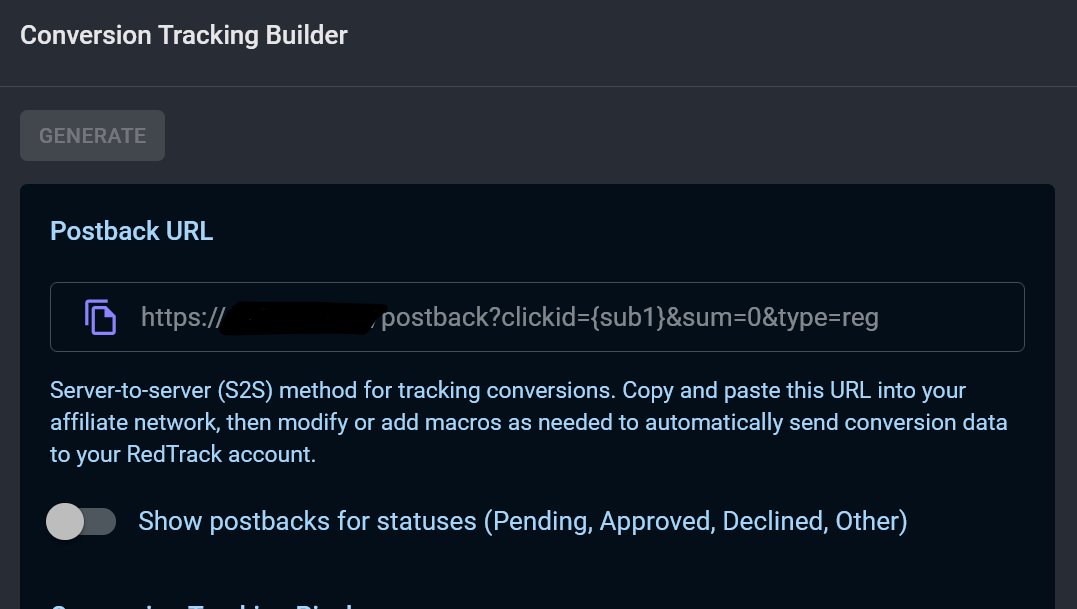
- Generate S2S postbacks for each conversion and add them to your affiliate source settings to ensure conversions are correctly passed to RedTrack. You can use your own conversion type values.
Step 2. Create a Traffic Channel for ZM apps
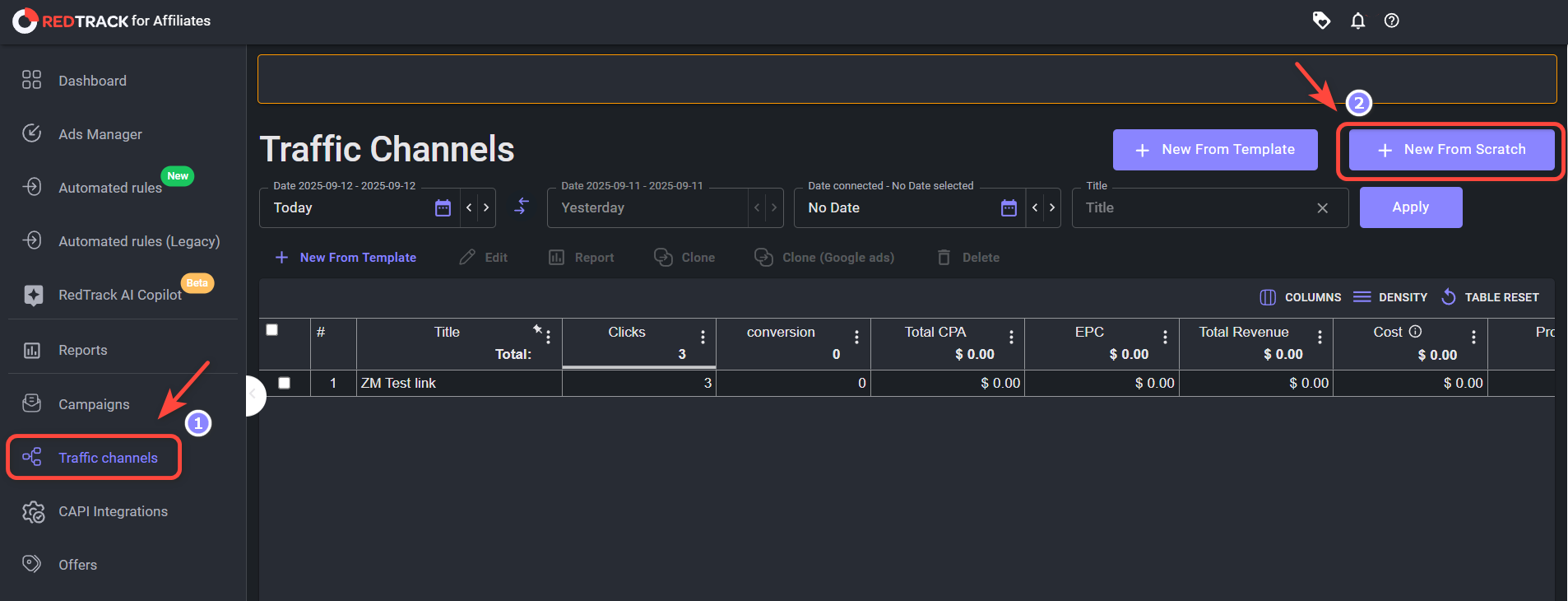
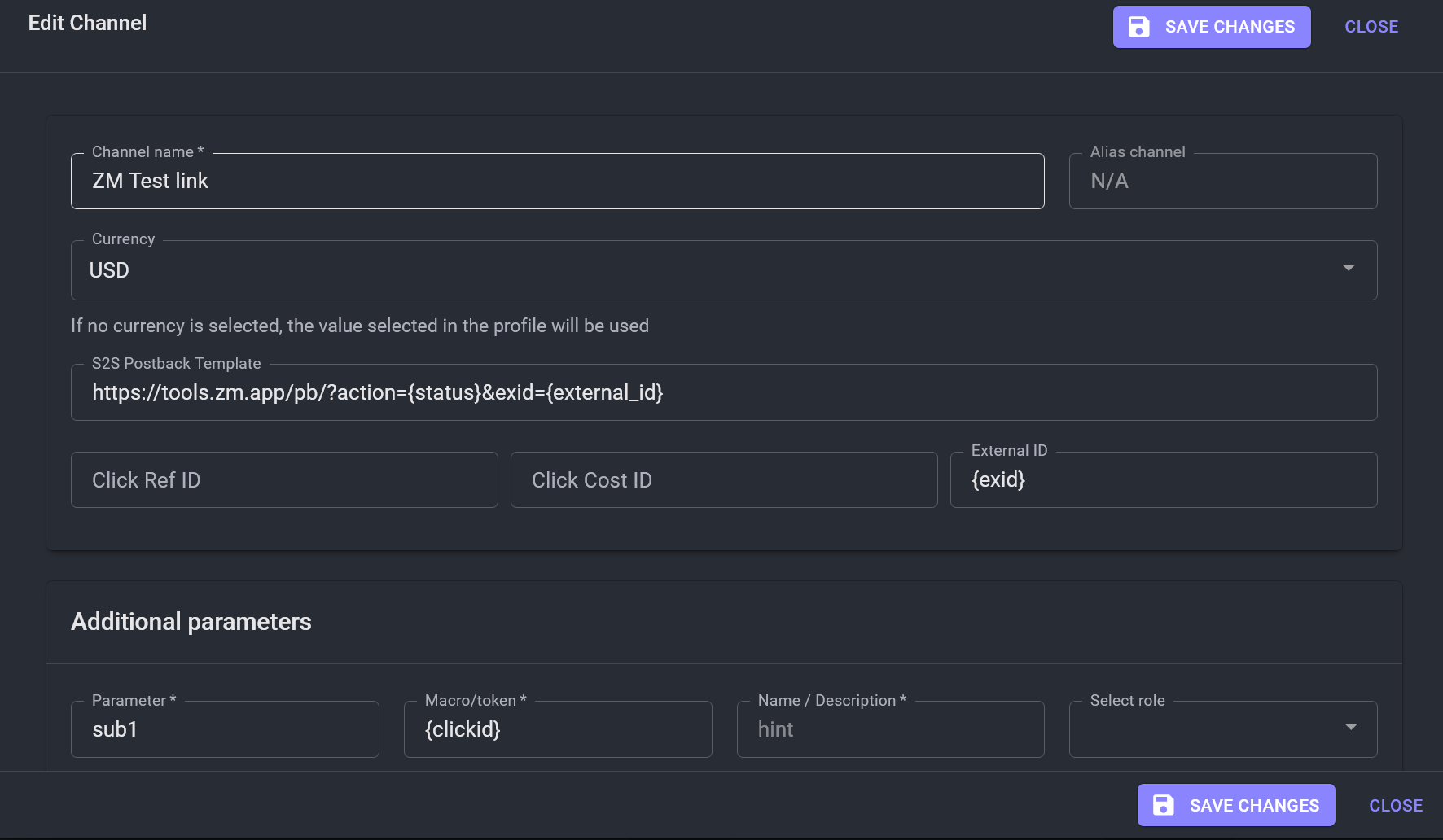
- Go to Traffic Channels → New from Scratch.
- Fill in the template for ZM apps:
- Channel name – choose a descriptive name.
- S2S Postback Template:
https://tools.zm.app/pb/?action={status}&exid={external_id} - In the Additional Parameters section, set
{exid}macro as the External ID sub. - Optionally, add any other parameters you need.
Step 3. Create a Campaign in RedTrack
Note: You must have active offers to create a campaign.
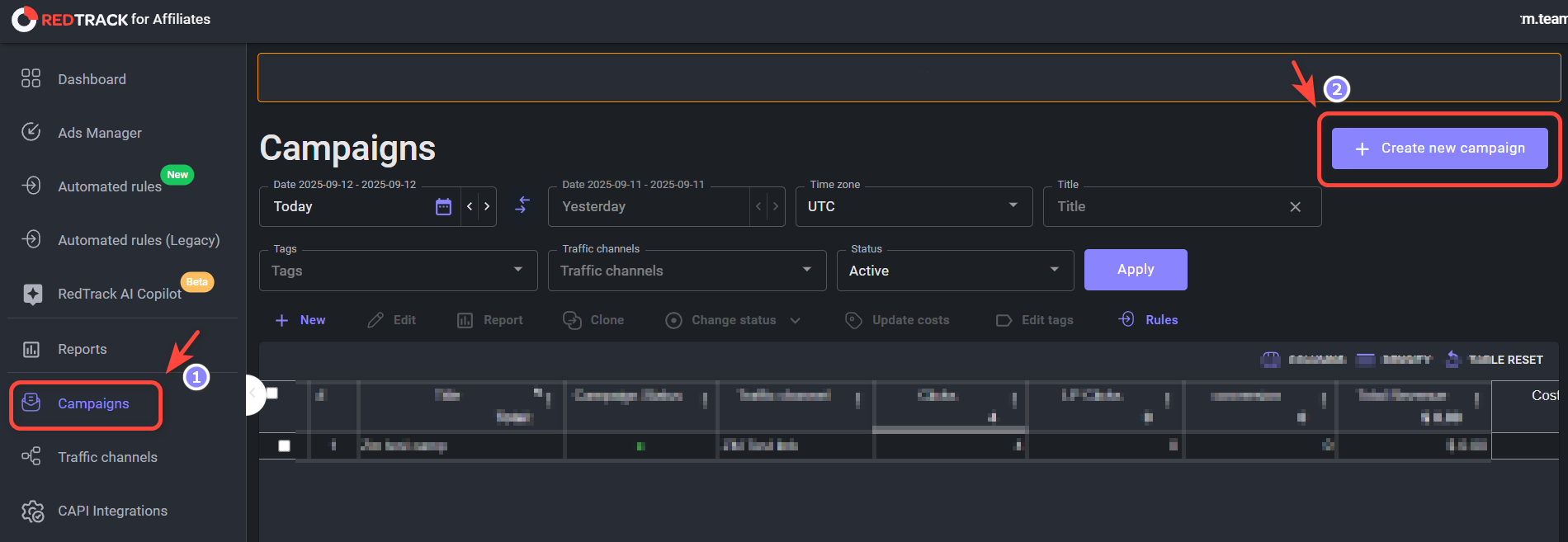
- Go to Campaigns → Create new campaign.
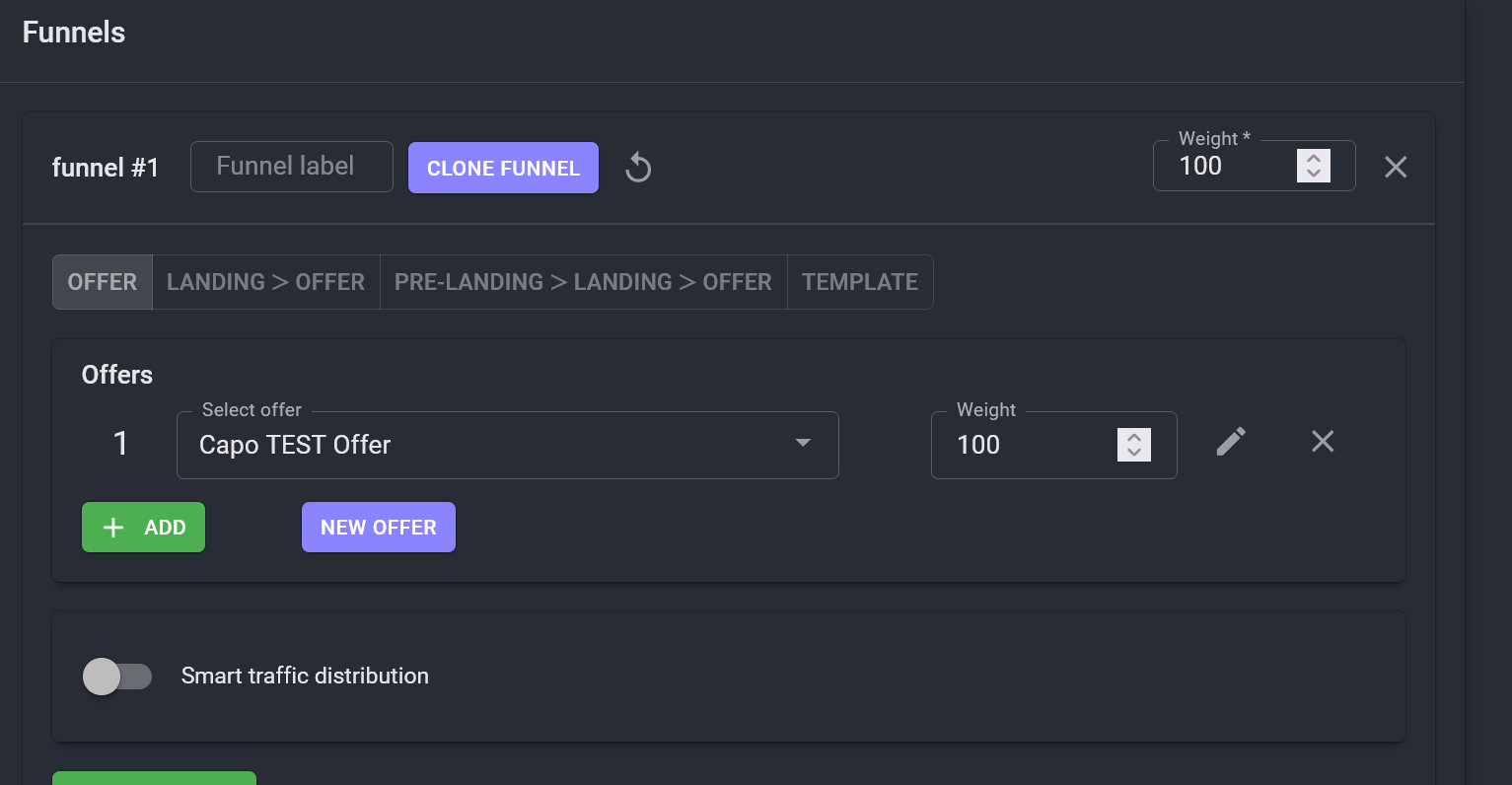
- Add your active offers and configure funnels and rules as needed.
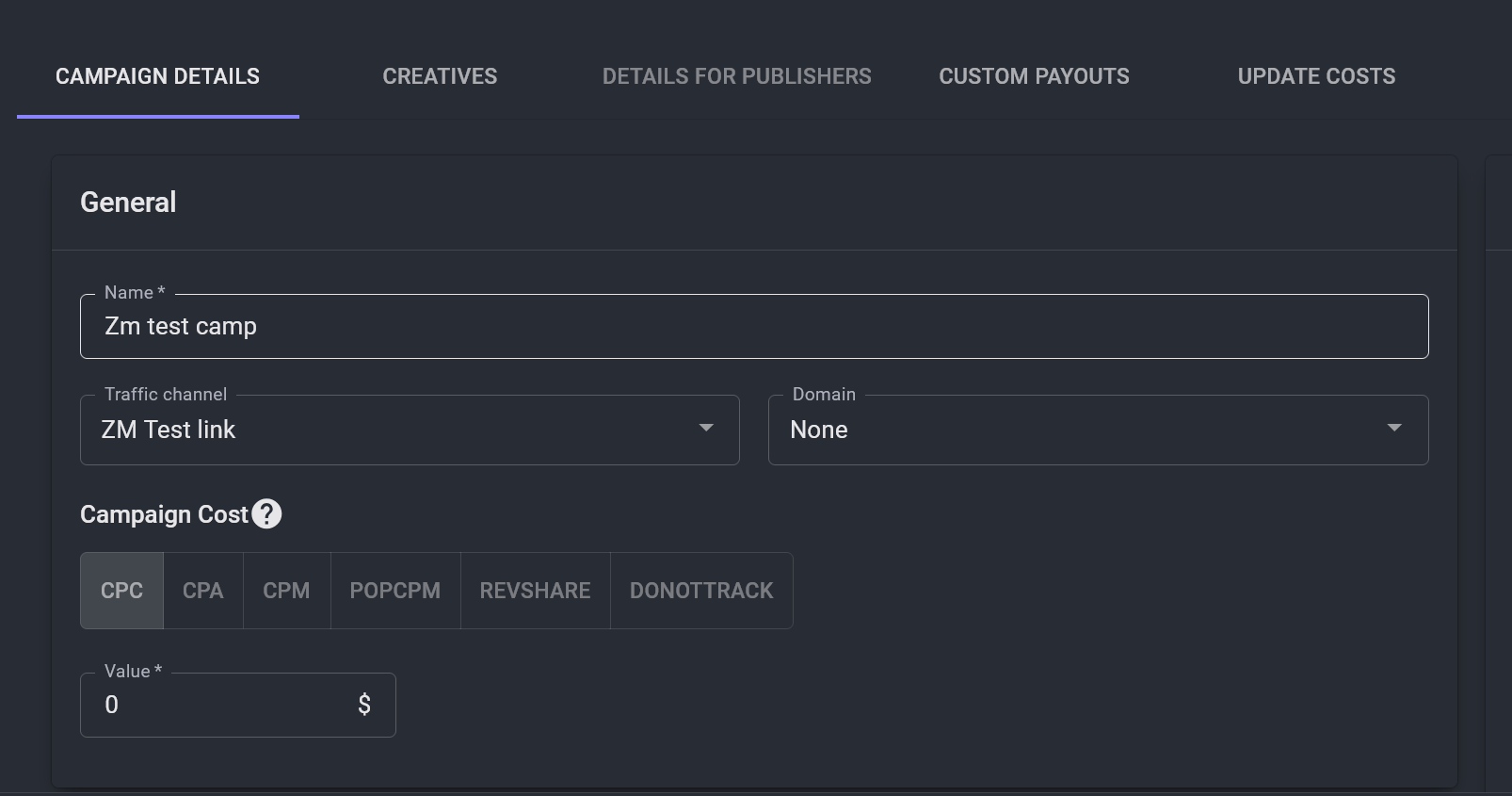
- Choose the Traffic Channel for ZM apps you created earlier.
- Scroll down to the S2S Postbacks section and click Add.
- Example postback for registration:
https://tools.zm.app/pb/?action=reg&exid={external_id} - Example postback for deposit:
https://tools.zm.app/pb/?action=dep&exid={external_id}
- Example postback for registration:
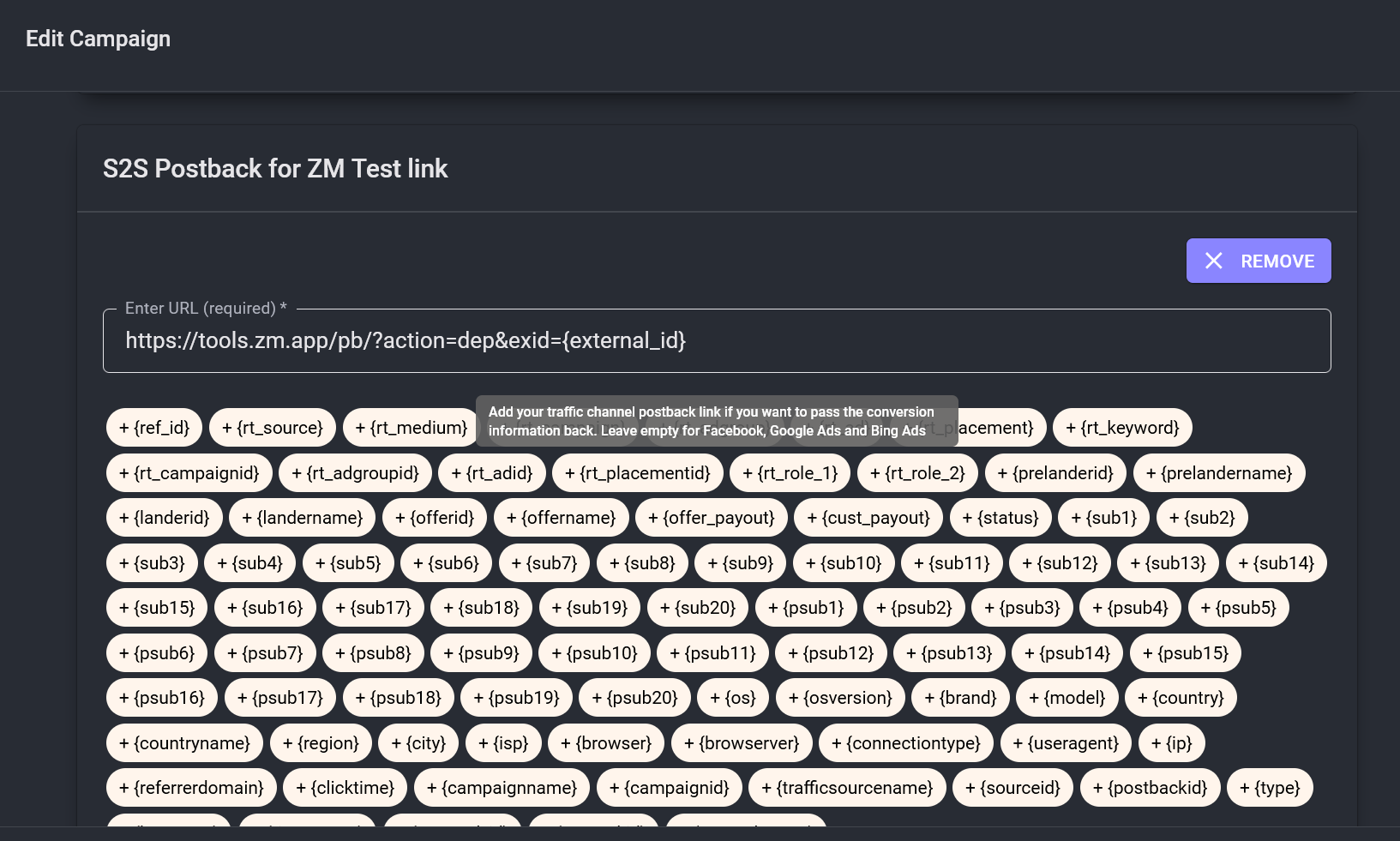
- In Conditional Postback settings:
- Select the correct status (e.g. Approved) that matches your offer’s default status.
- Select the correct conversion type:
reg(Lead) ordep(Purchase).
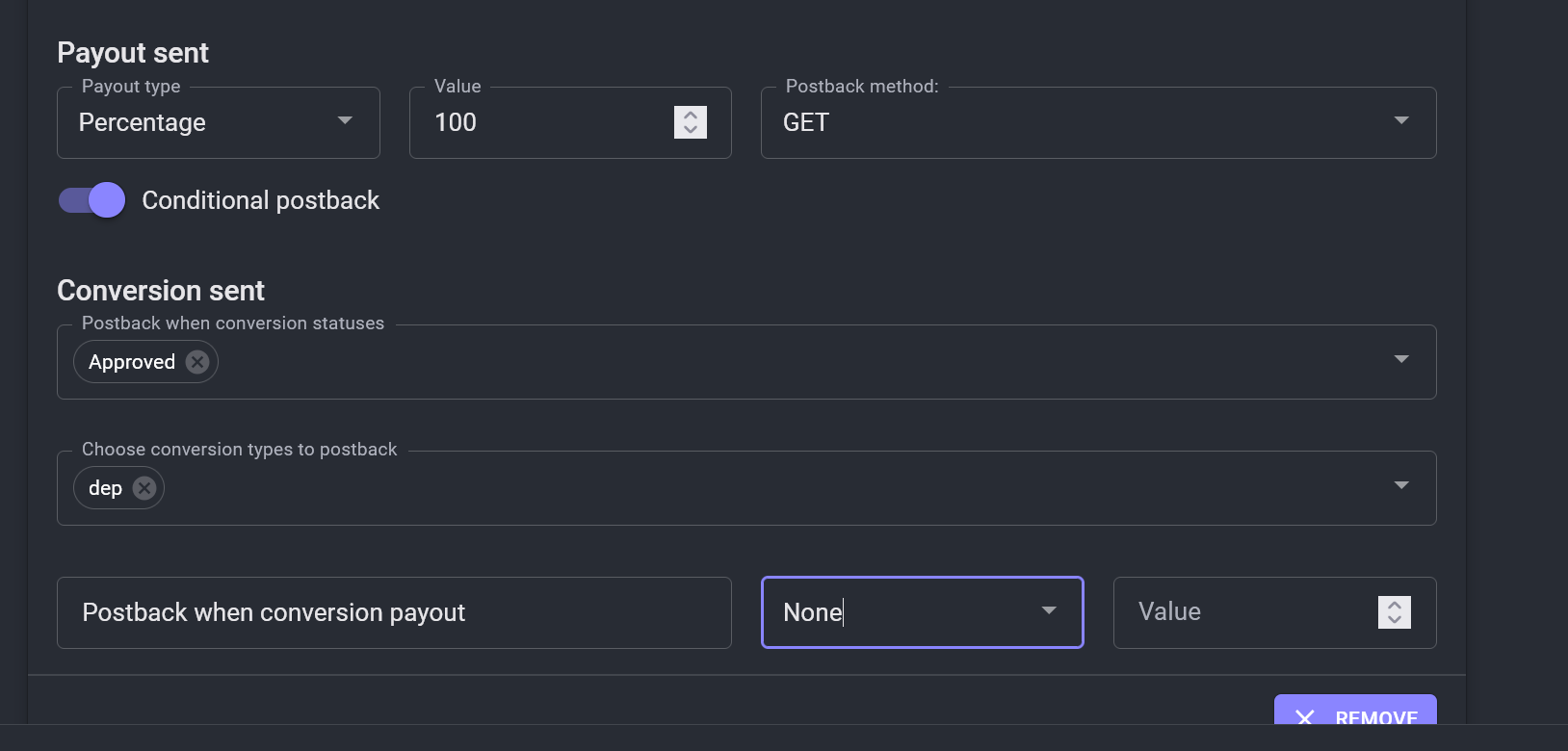
- Add two postbacks: one for reg and one for dep.
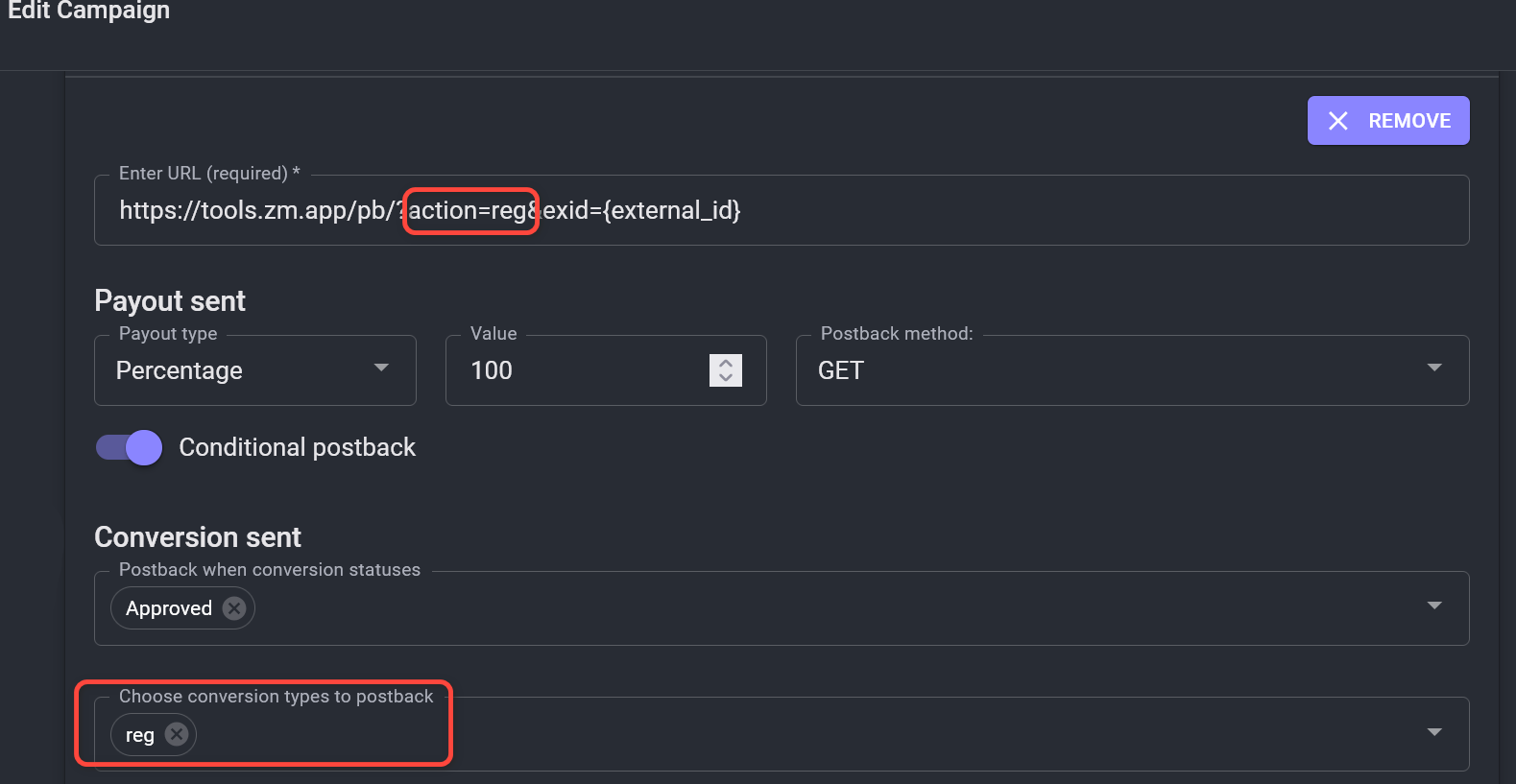
Step 4. Add the tracking link in ZM apps.
- Copy the campaign tracking link generated by RedTrack.
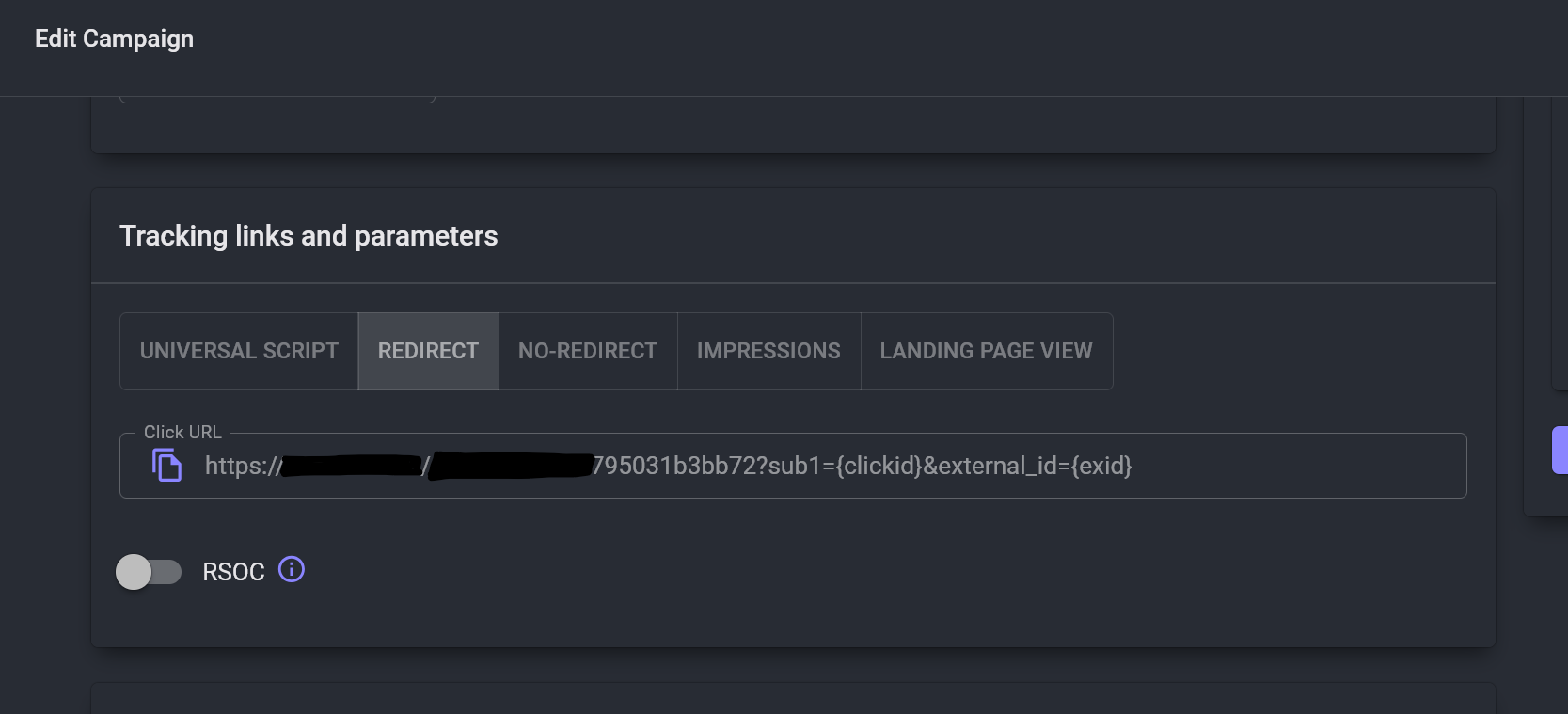
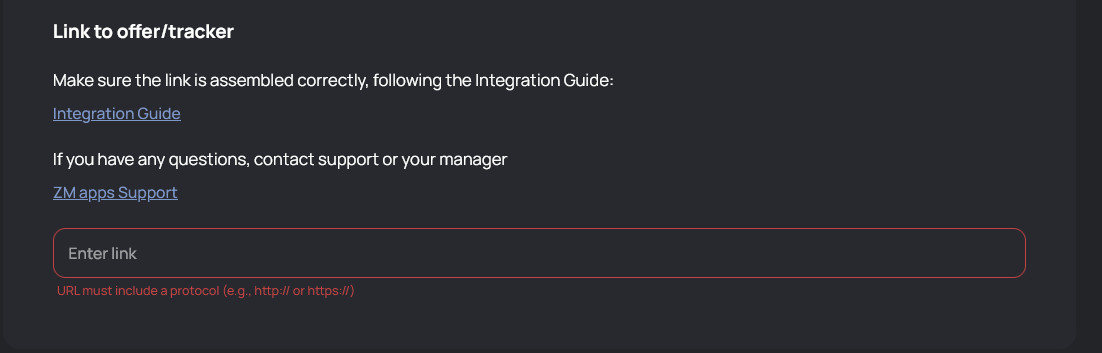
- Paste this link into your traffic flow setup inside ZM apps.
✅ Done! Your RedTrack campaign will now automatically send conversion data back to ZM apps via S2S postbacks.