Keitaro Integration
General Settings
In Keitaro, there is a ready-made template called ZM apps, which can be selected when creating a traffic source. This simplifies the setup process and helps to get the integration up and running faster.
To ensure the integration works correctly, it is recommended to use Keitaro version 11 or higher. Earlier versions may not support some of the functionality described in this guide.
Go to the Create source section and choose the zm.app template from the From template list.
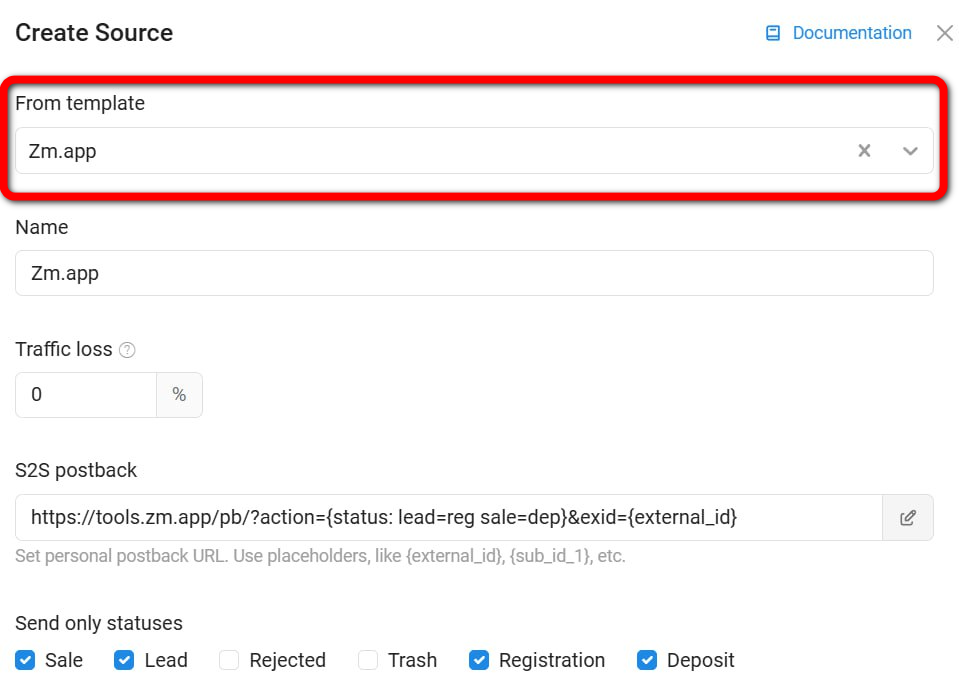
Make sure the following events are added in "Send only statuses":
- Lead
- Sale
- Registration
- Deposit
If they are not set, add them manually.
Parameter Passing
- The parameter
{exid}is required. Ensure that{exid}is passed intoexternal_id.
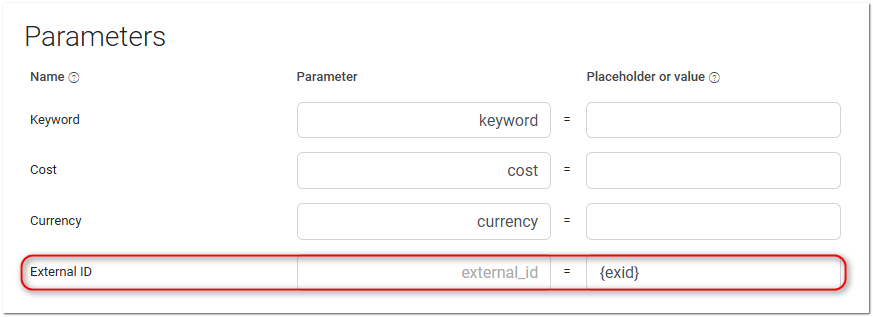
{sub_id_2},{sub_id_3},{sub_id_4}are additional parameters to pass more data if needed.
For more accurate analytics, you can optionally pass the deposit amount and transaction currency.
Parameters:
payout– deposit amountcurrency– transaction currency (e.g., USD, EUR)
Example postback with payout and currency:
https://tools.zm.app/pb/?exid=abc12345&action=dep&payout=1.05¤cy=EUR
Postback Setup
- Add a postback for the registration and deposit events:
https://tools.zm.app/pb/?action={status:lead=reg sale=dep}&exid={external_id}
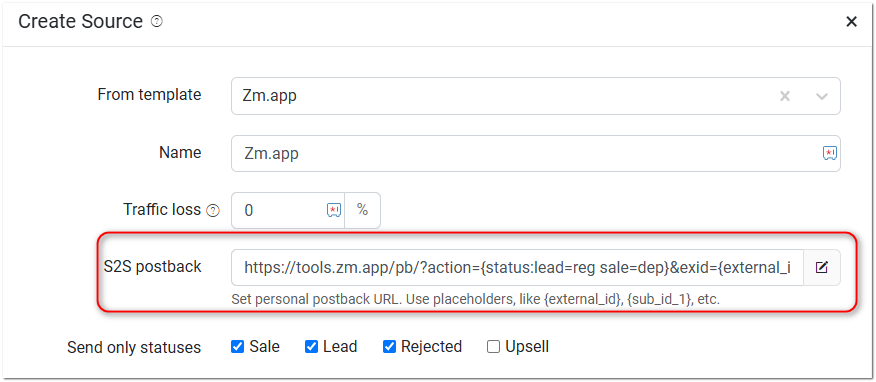
Now, Keitaro will send data to ZM apps and track conversions. Make sure that all parameters are passed correctly by testing the traffic before launching.
Remembering the User Path
If your campaign uses multiple offers, you should set up the traffic split so that when a user comes back, they see the same offer they saw the first time.
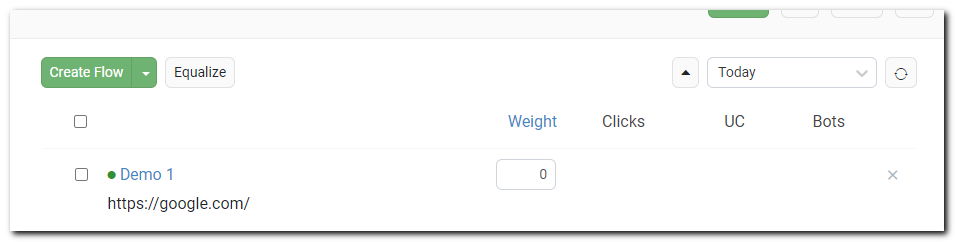
To turn off an offer, don’t delete it from the campaign settings. Just set its "Weight = 0" in the flow settings.
If offer binding is turned on, returning users will still go to the same offer they saw before — even if that offer has a weight of "0".
New visitors will be sent to the other offers.
In Keitaro, you can keep the user path with these settings:
- Flow rotation – By weight.
- Bind to – Flows, landing pages, and offers.

Note: These settings work only at the campaign level, not for the whole tracker. You need to set them up for each campaign separately.