Prelandings
Prelandings are interactive pages with a specific game-style theme. Most often these are mini-games, lotteries, prize selection, and other engagement scenarios.
Users see them after opening a link, before going to an app or an offer.
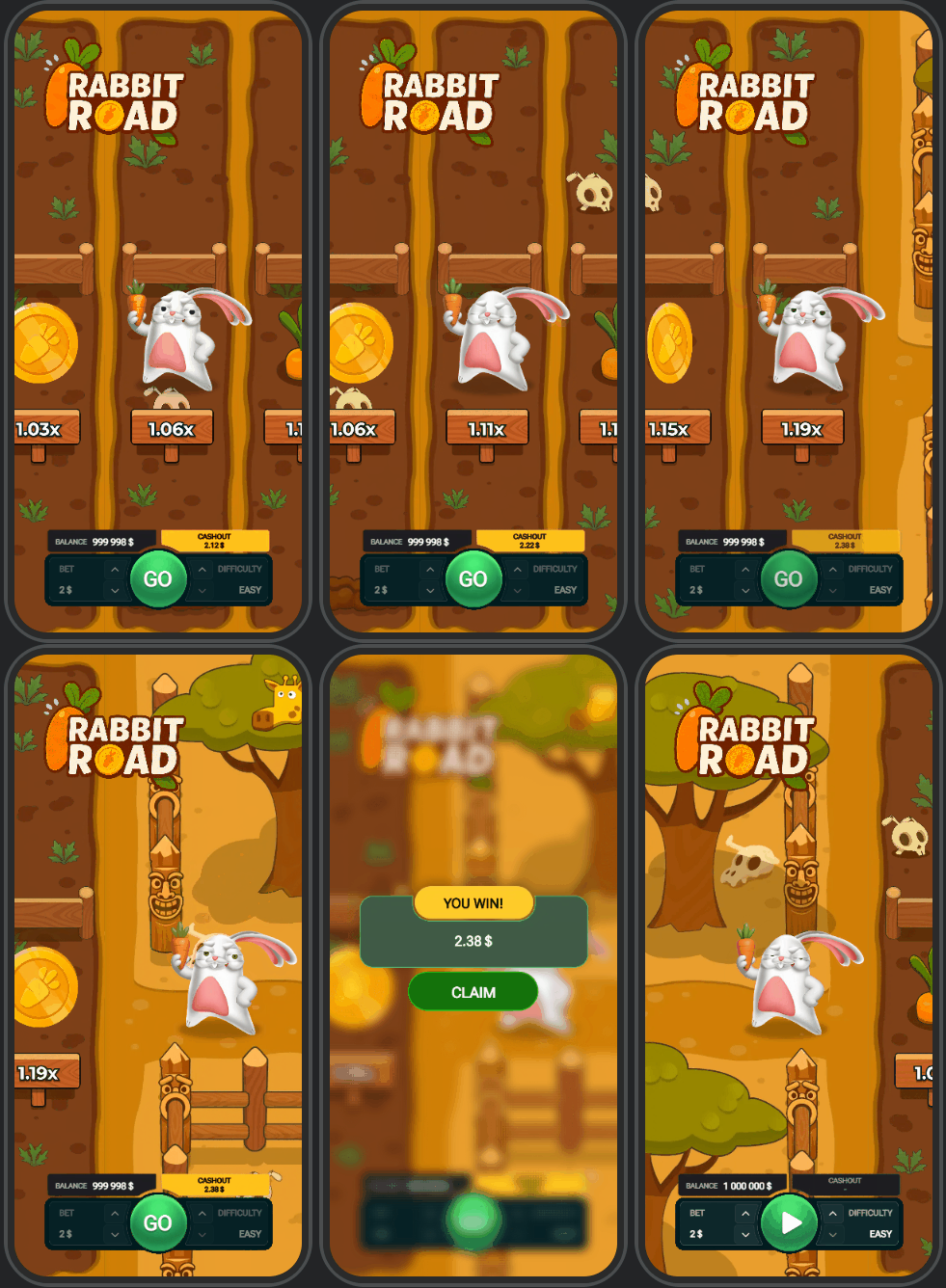
Why prelandings are used
Prelandings solve several tasks at once:
- Increase engagement. A prelanding makes the user interact with the page. After completing an action, the chance of installing the app increases.
- Warm up the audience. A prelanding explains the value of the product, for example by showing a win or creating a sense of achievement.
- Build trust. A direct jump to app installation can feel suspicious. A prelanding makes the transition smoother and more natural.
- Filter random traffic. Not all users are ready to take the target action. A prelanding helps filter out accidental clicks.
Working with prelandings in ZM apps
In ZM apps, you can create and configure prelandings for your campaigns yourself.
A prelanding is added when creating a flow and can work in two formats:
- as an intermediate page before the app;
- as a page before the offer, without going to the app.
In the dashboard, ready-made templates are available for the most popular themes.
How to create your own prelanding
To add a new template, follow these steps:
-
Go to the Prelandings section and click Create.

The settings screen will open. It includes an interactive preview.
You immediately see how the screen will look: theme, logo, buttons.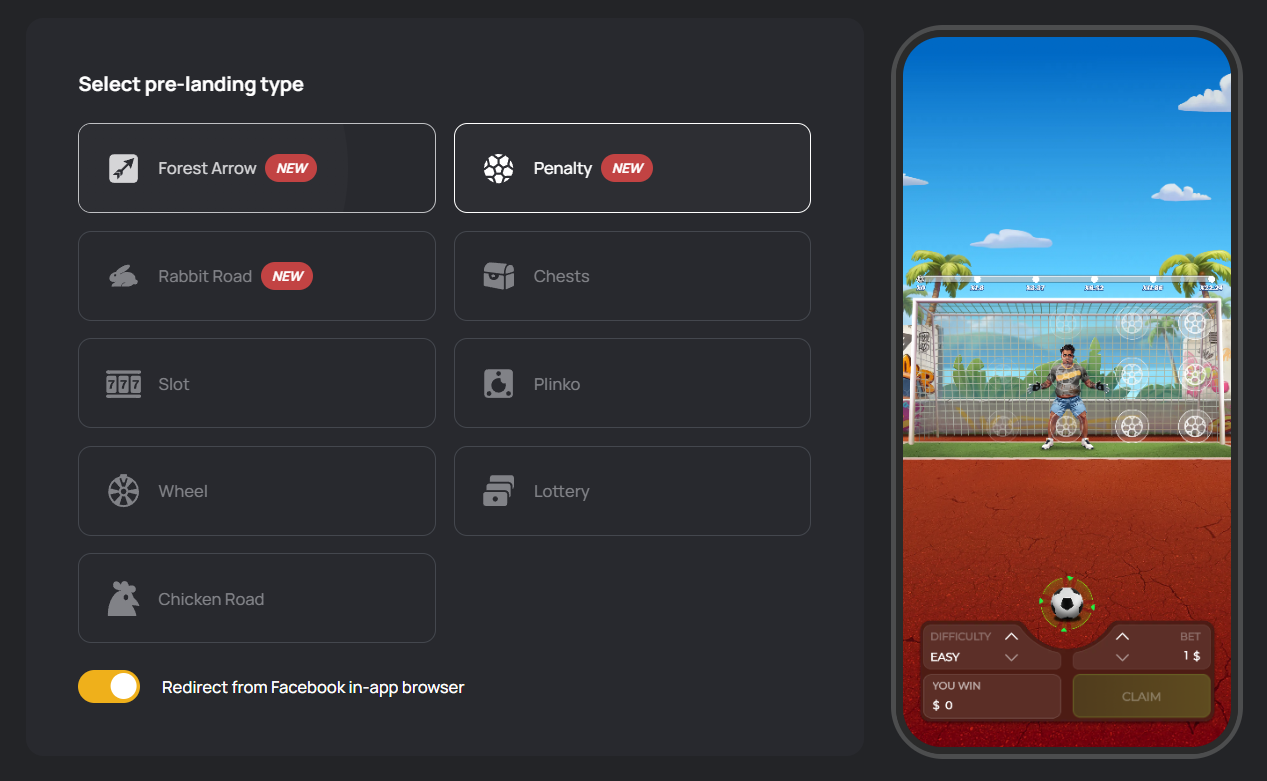
-
Choose the prelanding type: one game mechanic or a combination of two.
InfoIf two mechanics are selected, they will run one after another.
-
Choose the visual theme based on your goals.
-
Optionally upload a campaign logo.
-
Set button text and values.
-
Click Save.
Done!
The template will appear in the prelandings list and can be used in flows.
If needed, you can always return to the prelanding and edit it later.