Push notifications
Push notifications are short messages that an app shows to the user on their device screen. They are used to remind the user about the app.
In simple terms, push works like this:
- The user installs the app.
- The app gets permission to send notifications and sends a push.
- This push notification brings the user back into the app.
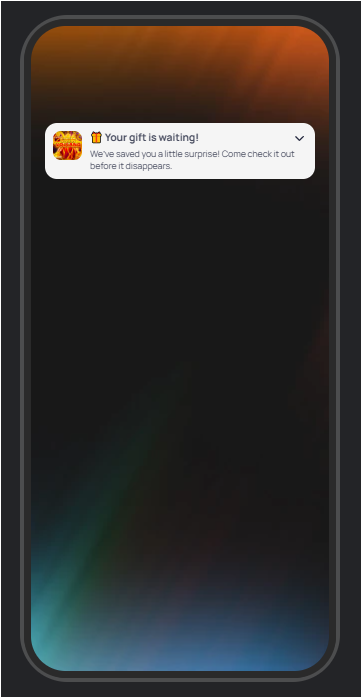
In ZM apps, push notifications have a simple structure:
- Title — a short summary of the notification.
- Text — the main message.
- Image (optional) — a visual highlight that makes the push more noticeable.
Example:
Why push notifications are needed
After installation, a user does not always complete the target action right away. Push notifications allow you to keep interacting with the user after install.
They can be used to:
- bring the user back into the app;
- remind them about an unfinished action;
- encourage a target event.
This is a way to continue working with an already acquired audience and guide their next actions.
How push notifications work in ZM apps
Types of push notifications
In ZM apps, there are four types of notifications:
| Type | When it is used |
|---|---|
| Regular | On a schedule, for example every day at 19:00 |
| One-time | A single send for a specific reason |
| Event-based | For example, five minutes after installation |
| System | Sent by default if you have not set up your own notifications |
How to customize push notifications
ZM apps lets you flexibly customize pushes for your traffic logic:
- Who to send to — choose the audience: users who just installed the app, completed registration, or already made a deposit.
- When to deliver — based on the user’s GEO and time zone.
- When and how often to send — set the send date and frequency.
- What the user sees — notification content: text and visuals adapted to the offer, GEO, and funnel stage.
- is clear right away,
- does not make the user guess why they received it,
- logically continues the in-app scenario.
What’s next
For all apps in ZM apps, system push notifications are already available by default.
The next step is to create and configure your own notifications based on your traffic logic.
The push setup process is explained in detail in the push creation guide.