What is PWA
PWA (Progressive Web App) is a web app that looks and works like a regular mobile app for the user, but it runs in a browser and opens from a link.
In ZM apps, PWA is used as a full alternative to store apps.
A PWA can be connected to flows and split flows, supports analytics, prelandings, and push notifications, and lets you send users to an offer without going through the App Store or Google Play.
Why use PWA
The main value of PWA is fast launch and flexibility. A PWA does not need to be published or maintained in app stores, so it does not depend on store moderation. This lets you:
- use more expressive designs, game-like and interactive elements;
- quickly adapt the look and feel to a specific setup and audience;
- clone and scale solutions that work.
At the same time, PWA still feels familiar to the user:
- it can be installed like a regular app;
- it creates an icon on the phone’s home screen;
- it opens full screen;
- it can send push notifications.
PWA benefits in ZM apps
In ZM apps, PWA is built for fast launching. The service provides the full infrastructure for running traffic, where PWA is part of a single flow. You work with PWA the same way as with a regular app inside a flow: you control the user path and collect stats.
PWA app builder
- You create and edit a PWA through the interface. No development, builds, or technical setup are required — everything is configured visually.
- You can use ready-made store-style templates or PWAs with game-like interactive content.
- PWA content can be generated automatically, and template texts are translated into the user’s browser language. This makes it easier to work with multiple GEOs and reduces manual edits.
- You can copy one PWA, adapt it for another GEO or source, and launch a new setup in a few minutes.
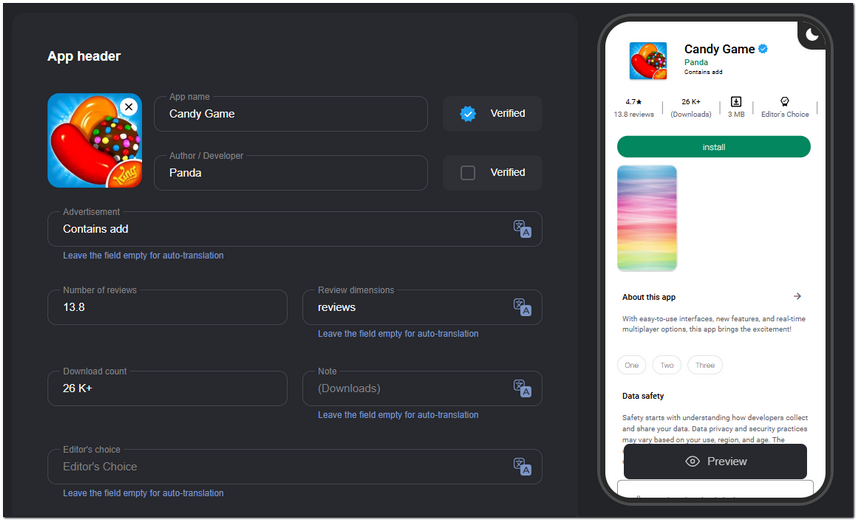
Full-featured PWA flow
Each PWA in ZM apps connects to a flow or split flow and uses the full traffic routing logic:
- prelandings;
- GEO cloaking;
- traffic distribution based on conditions;
- redirects to offers.
Push notifications
PWAs support push notifications. They are configured at the flow level and work the same way as for regular apps.
Recommendations for working with PWA
-
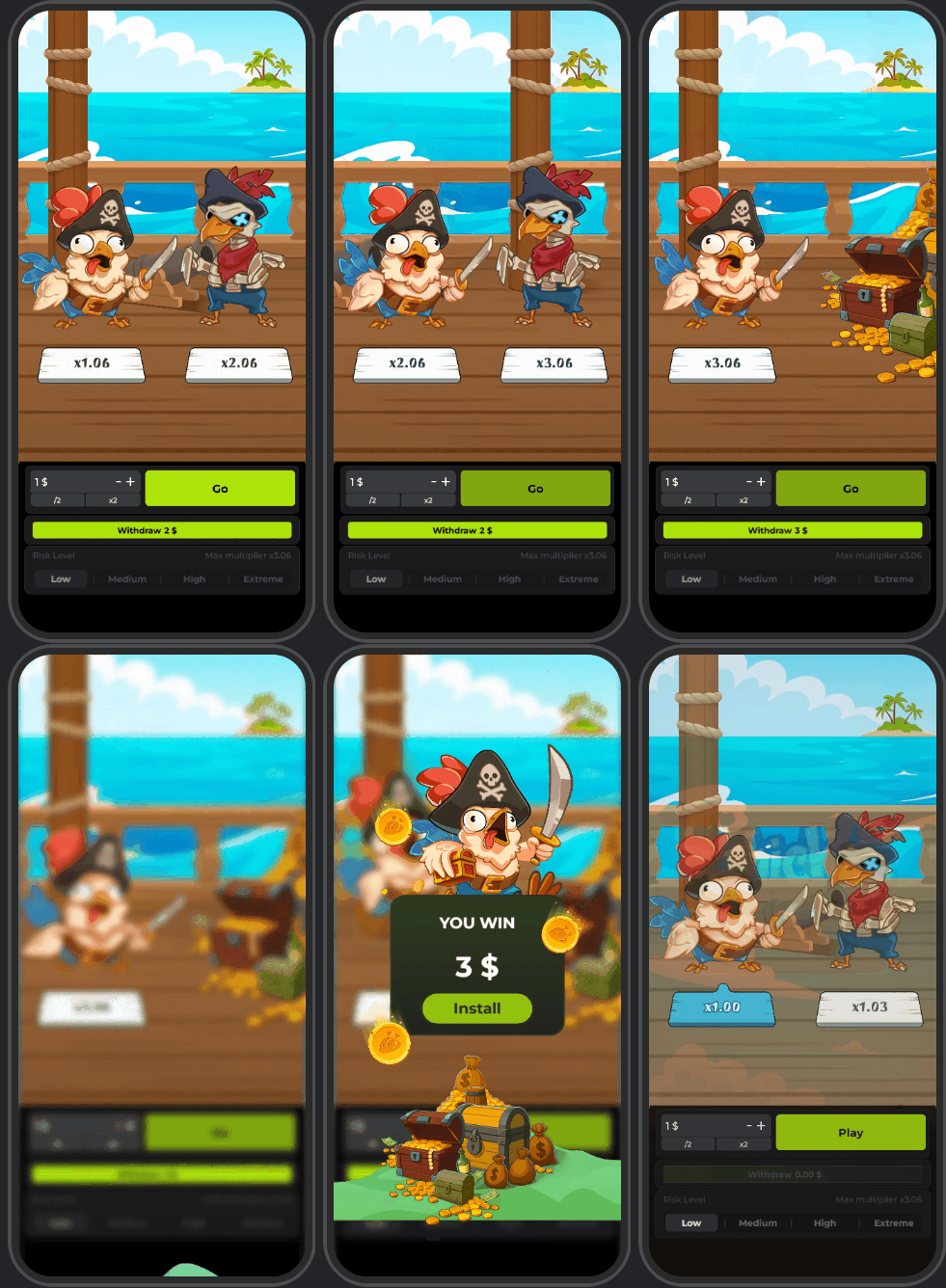
Pay attention to PWA games — this is an interactive landing page that engages the user right away and leads directly to a download or target action, without imitating a store.
-
The domain matters. With PWA, the app opens from a domain, so the domain name directly affects user trust. A clean, logical domain improves conversion and the first impression.
In ZM apps, when creating a flow or split, you can buy a domain name separately, based on your needs.
We recommend:
- using short and clear domains;
- choosing neutral or thematically relevant names;
- avoiding random and “technical” names when possible.
What’s next
If you decide to work with PWA, the next step is to create an app and set up a flow.
You can create a new app and configure it for your goals in the PWA section of your dashboard.
The main page of the section shows the list of all apps you created. To quickly find the one you need, use search and filters.
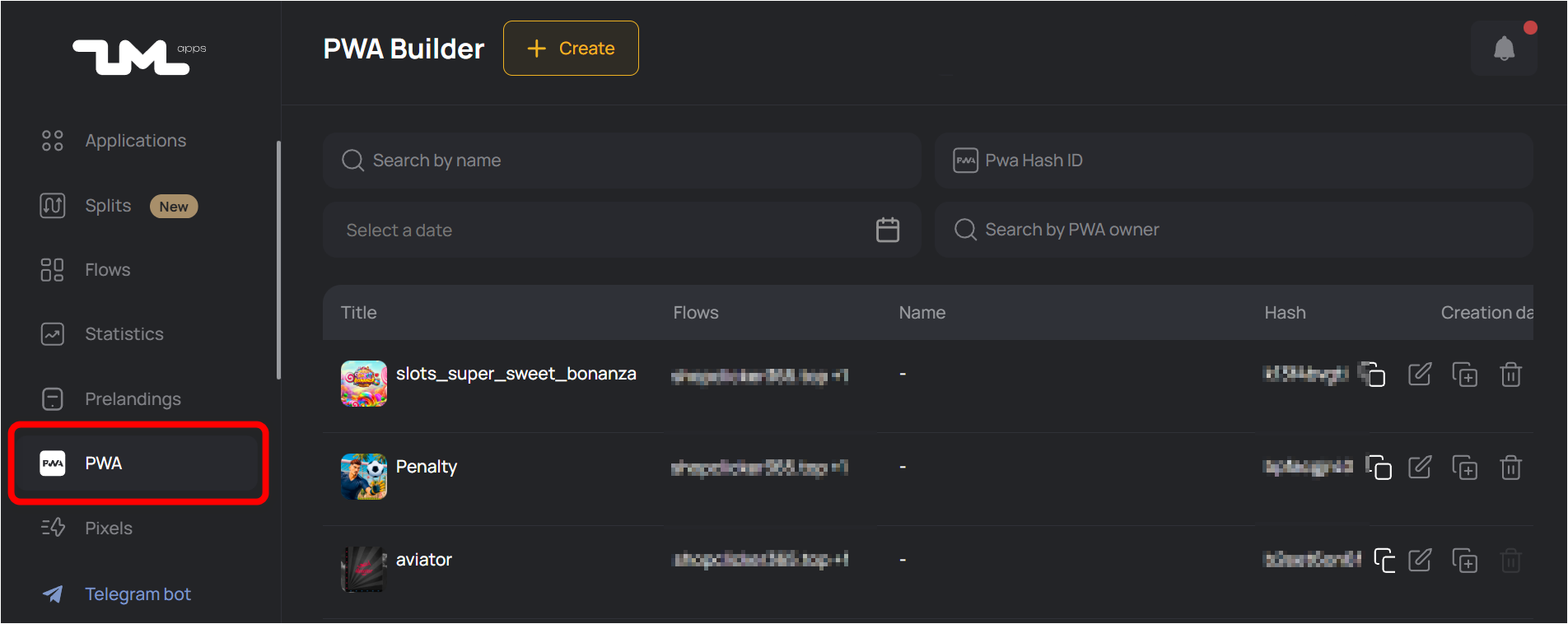
For each app, the following actions are available:
- Edit — lets you change settings.
- Clone — creates a copy of the app with a new Hash ID.
- Delete — removes the app from the system.

- To create a new PWA app, click Create → Create manually.
- To copy an app, use the Hash ID or domain.

After creating the app, go to its settings: add screenshots, update text and tags, configure the appearance, and set working parameters.
For a deeper look at the PWA builder features, read our guide here.
Step-by-step instructions on how to create and set up a flow are available here.