Dolphin Cloud integration with Binom
This article explains how to set up data exchange between Binom and Dolphin Cloud.
Preparing data in Binom
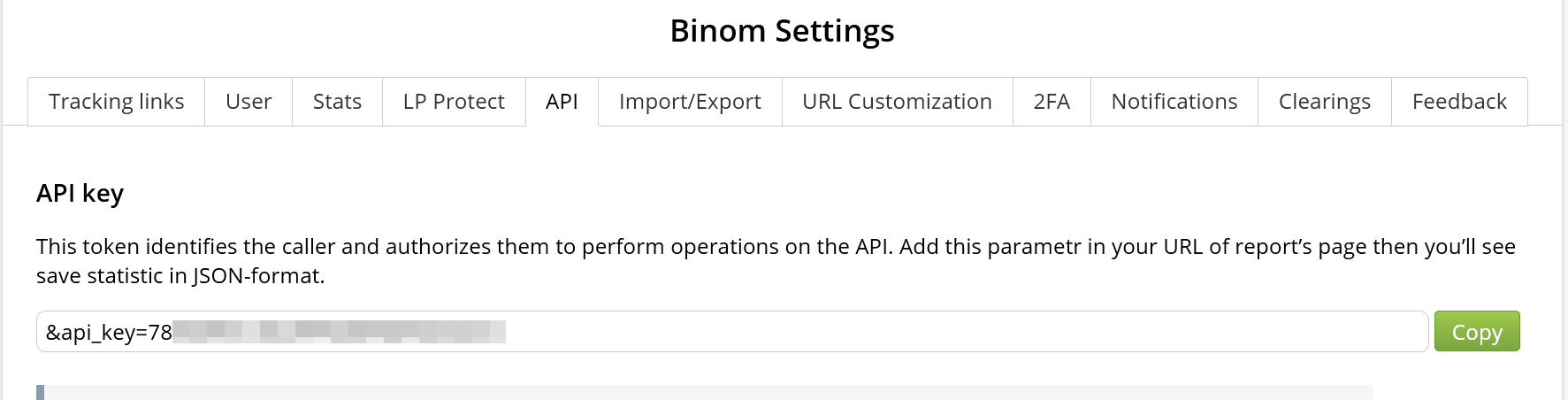
To integrate, you need a Binom API key.
How to get the API key:
- Open the Binom interface.
- Go to Settings → API.
- Copy your API key.
Connecting Binom in Dolphin Cloud
- Open Dolphin Cloud.
- Go to Settings → Data Import.
- In the tracker integrations block, select Binom.
- Fill in the fields:
- Binom link (your tracker URL) — full tracker URL
- API key — without
api= - Ad ID parameter — by default, token 9
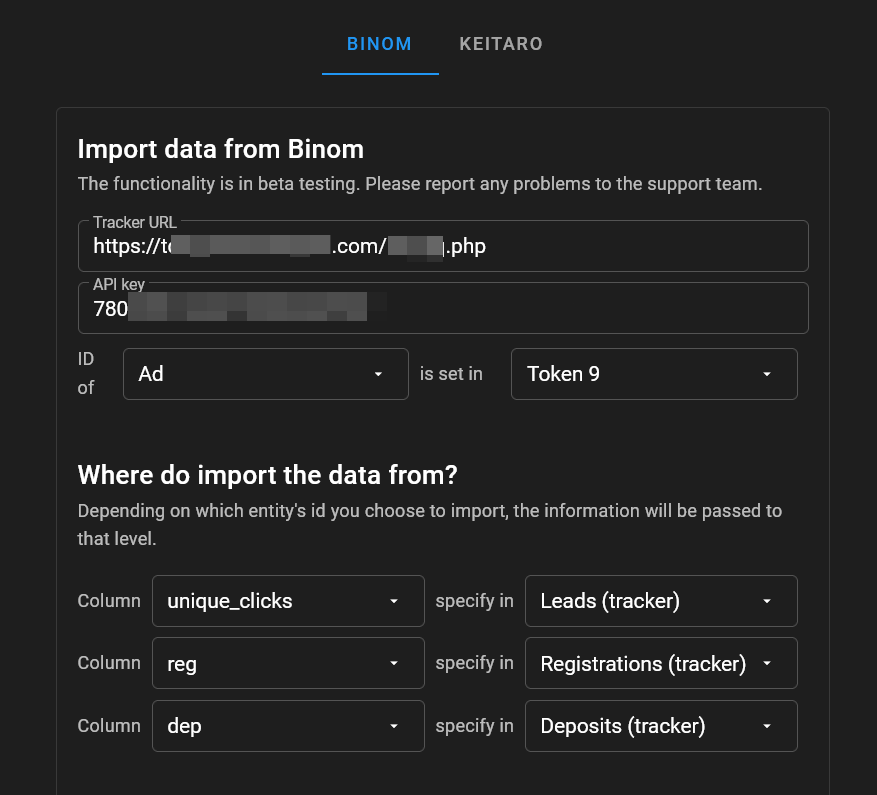
- Press Enter in the URL field.
After that, Dolphin Cloud sends a request to Binom and starts loading available columns.
Wait a few seconds — the list of columns from Binom will load automatically and become available for selection.
After the columns are loaded, you need to correctly map Binom data to Dolphin Cloud fields.
Checking columns and the ad_id parameter
After setting up data import, make sure tracker columns are visible in the campaigns section.
- Go to the Campaigns section.
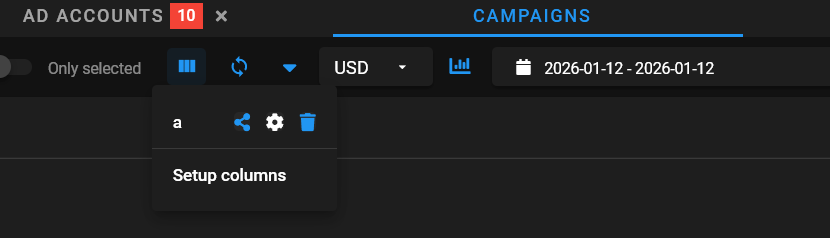
- In the top panel, click Setup columns (columns settings icon).
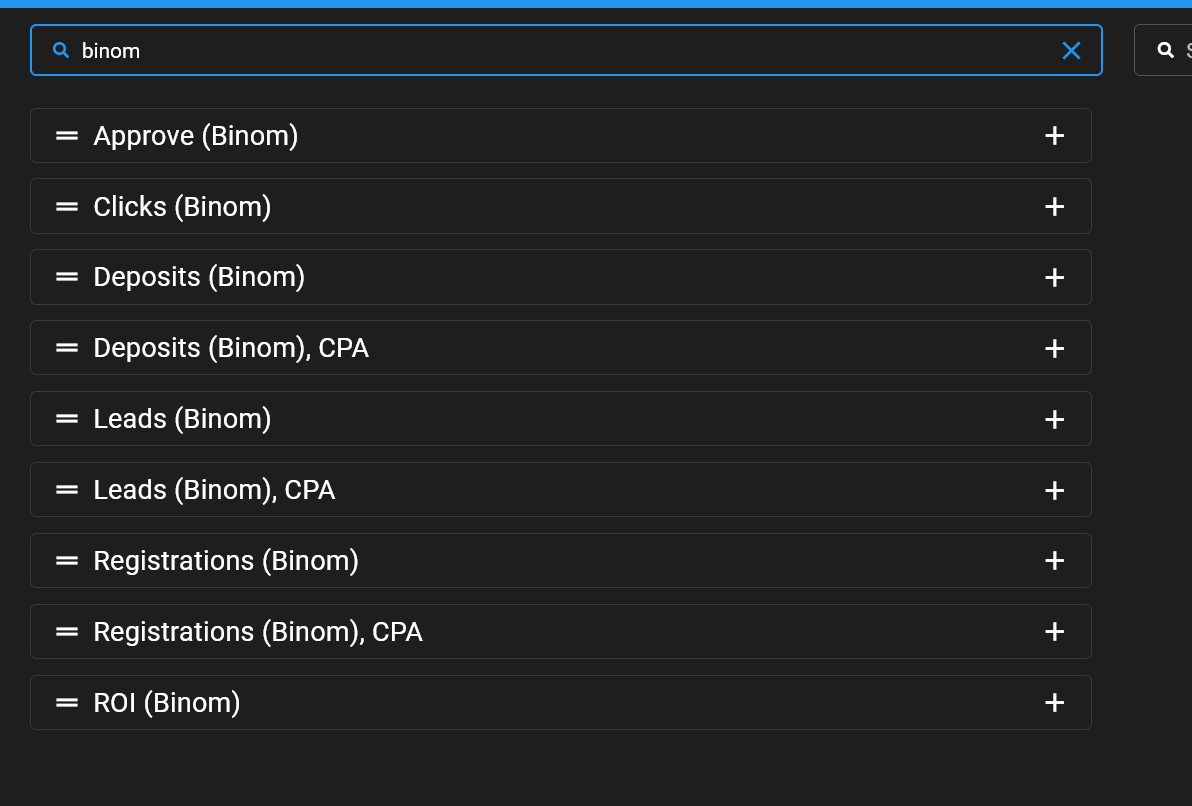
- In the list of columns, find and add:
- Registrations (tracker)
- Leads (tracker)
- Deposits (tracker)
After saving the settings, the selected columns will appear in the campaigns table, and statistics from Binom will be available for viewing and analysis.
When copying a campaign link from Dolphin Cloud, it must use the {{ad.id}} macro.

Make sure that:
- All service and tracker links are updated and contain the
{{ad.id}}macro. - The
{{ad.id}}macro is passed in the parameter specified in Dolphin Cloud data import settings.
If the {{ad.id}} macro is missing, you need to add it to the Binom campaign link exactly in the sub-parameter specified in the Dolphin Cloud integration settings, in the Traffic Source section or in the Parameters section of the campaign.

After completing all steps, the Binom integration with Dolphin Cloud will be set up.
Tracker statistics will start appearing automatically in the campaigns section.
- regularly check that the Binom API key is valid;
- make sure the
{{ad.id}}macro is passed in all service and tracker links; - after changing tracker settings, recheck column display in campaigns.