How to Connect the ZM apps to Snapchat
To run ad campaigns on Snapchat and track app events, you need to set up integration through an official tracking partner (MMP). For us, this partner is AppsFlyer.
ZM apps is already integrated with AppsFlyer. You just need to add your app in Snapchat Business Manager and send us your Snap App ID. We'll take care of the rest.
Step 1. Create your Snap App ID
- Log in to Snapchat Business Manager.
- From the left menu, go to Apps.
- Click Add an App.
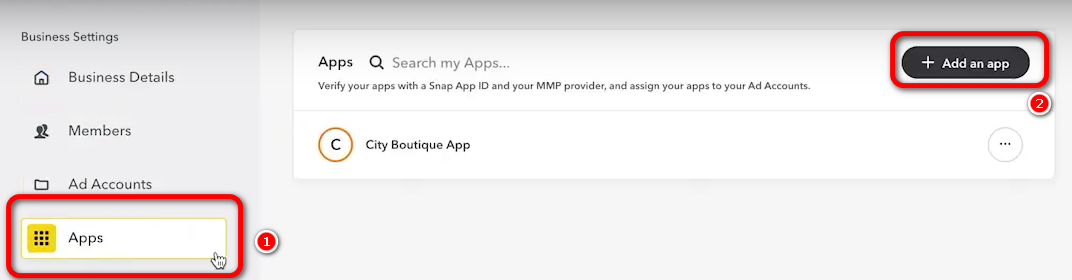
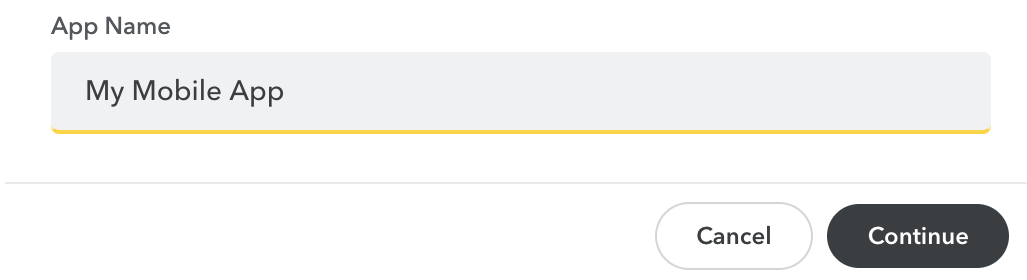
Fill out the form that appears:
- App Name – you can use any name you like or an actual app name.
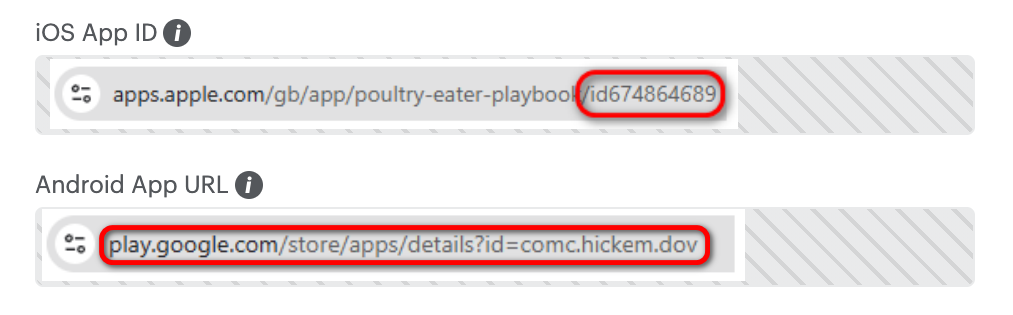
- App Identifier:
- For iOS, enter the App ID found at the end of your App Store link;
- For Android, enter your Google Play link.
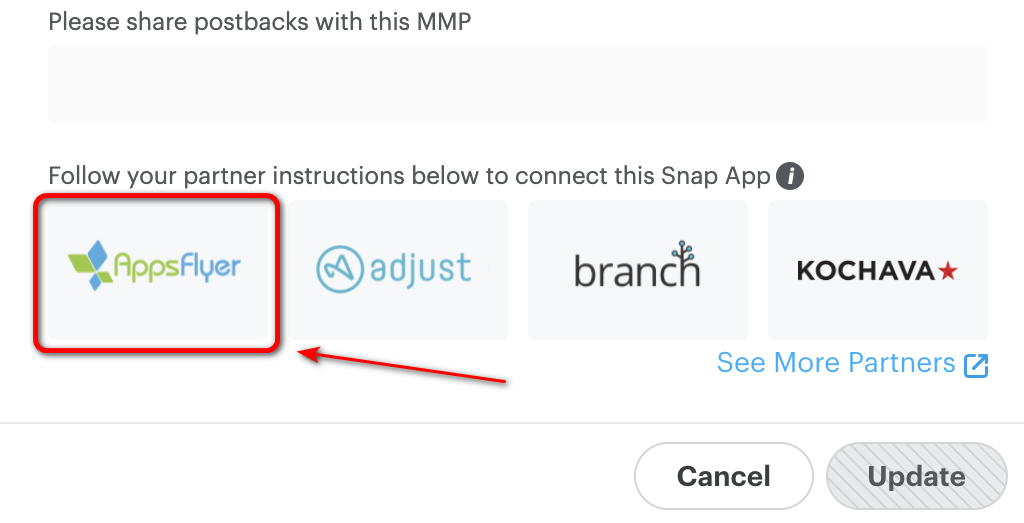
- MMP – choose AppsFlyer.
- Copy your Snap App ID.

Step 2. Send this info to ZM apps support:
- Your naming;
How to get your naming
If you haven’t created naming yet, here’s a detailed guide.
- App name or link;
- Source name – SnapChat and your Snap App ID.
We will complete the integration with AppsFlyer and let you know when everything is ready.
After that, you can start your ad campaigns.
Important
Make sure to use your naming in the Campaign name.
Only use the naming—no extra words, tags, or comments.