Generating a TikTok Pixel and an Access Token
How to create a TikTok Pixel
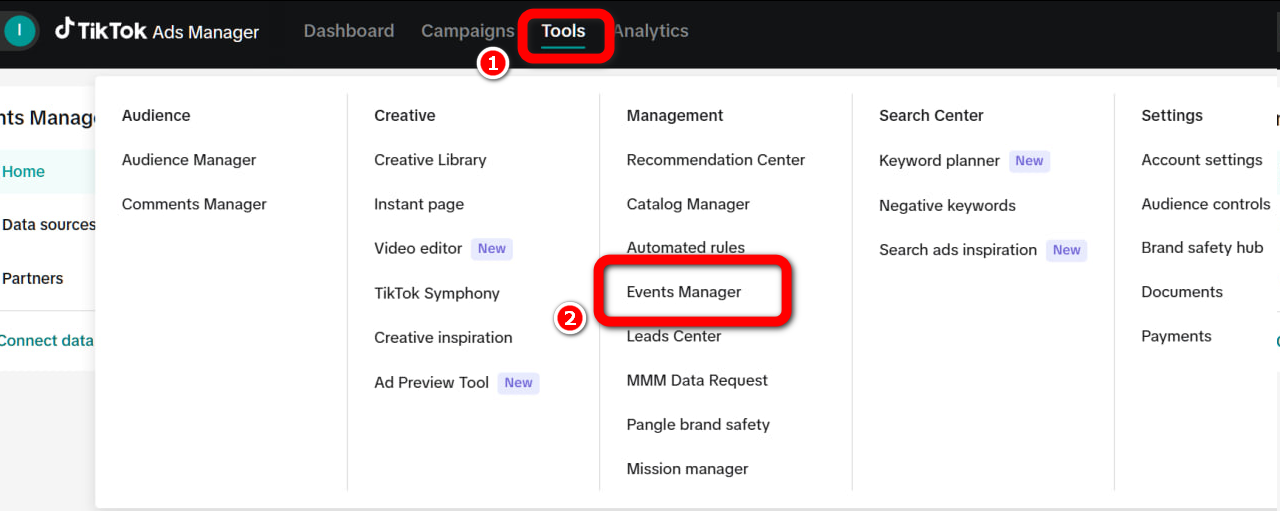
- Go to TikTok Ads Manager ➜ Tools ➜ Events Manager.
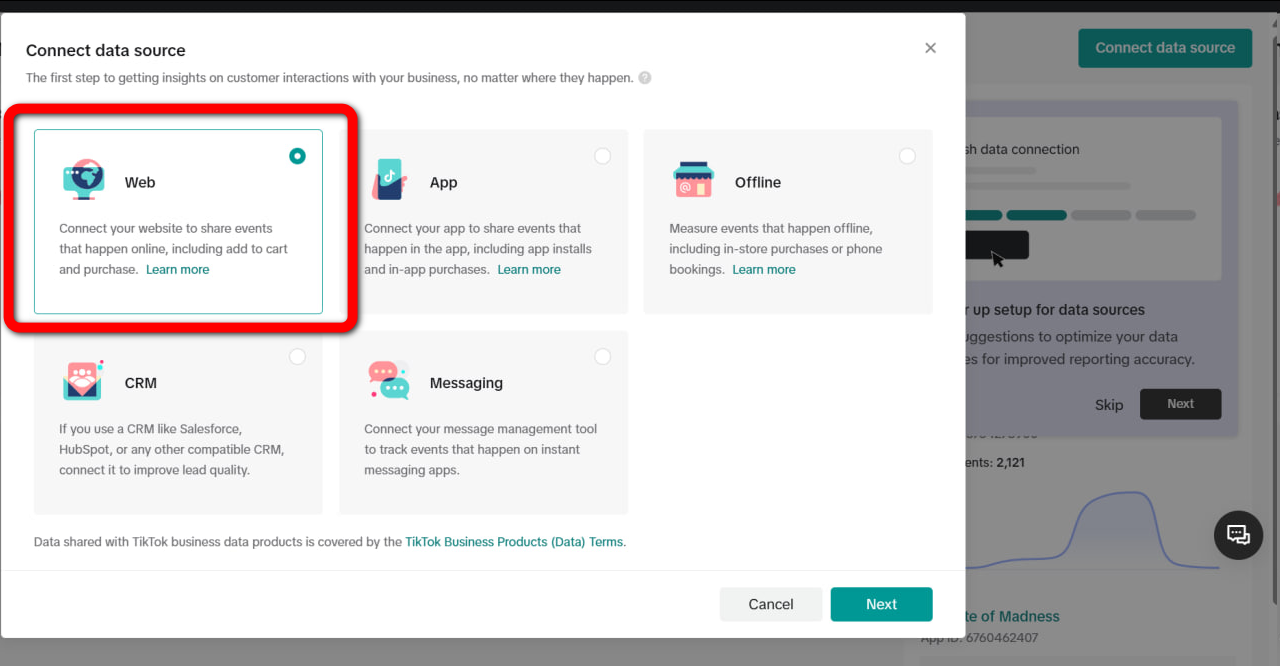
- Select Connect Data Source ➜ Web.
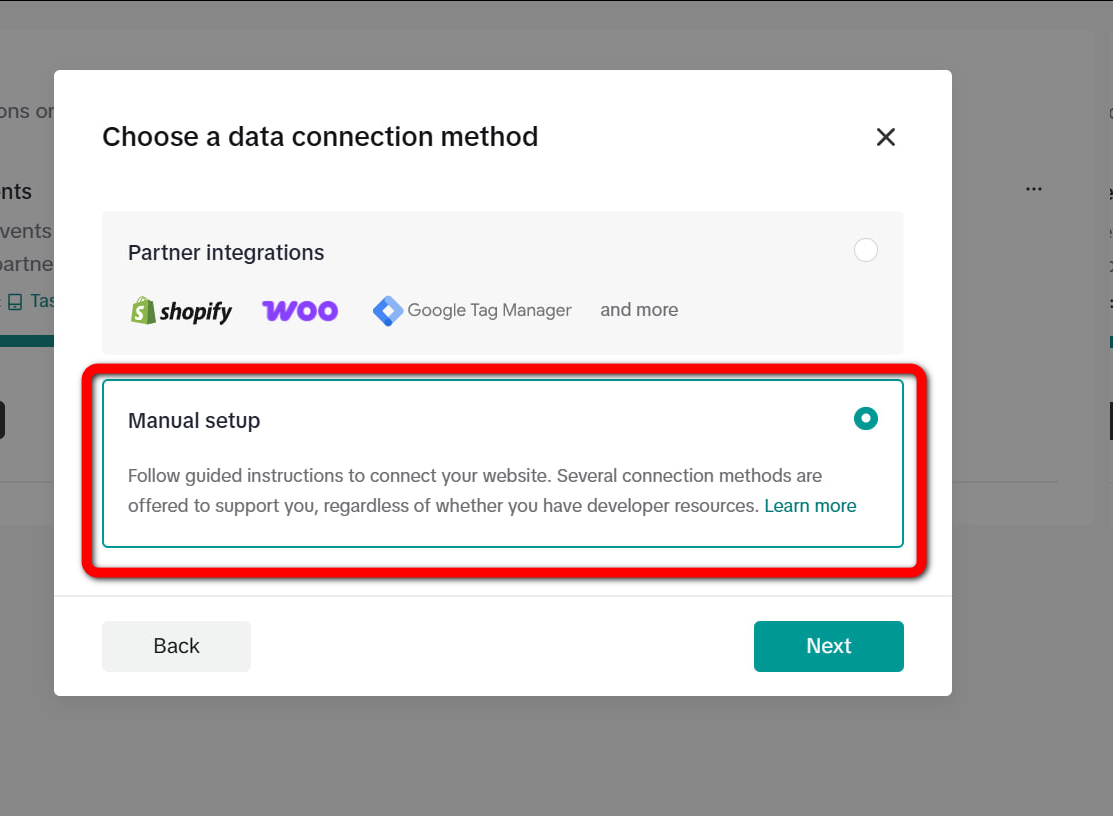
- Choose Manual Setup.
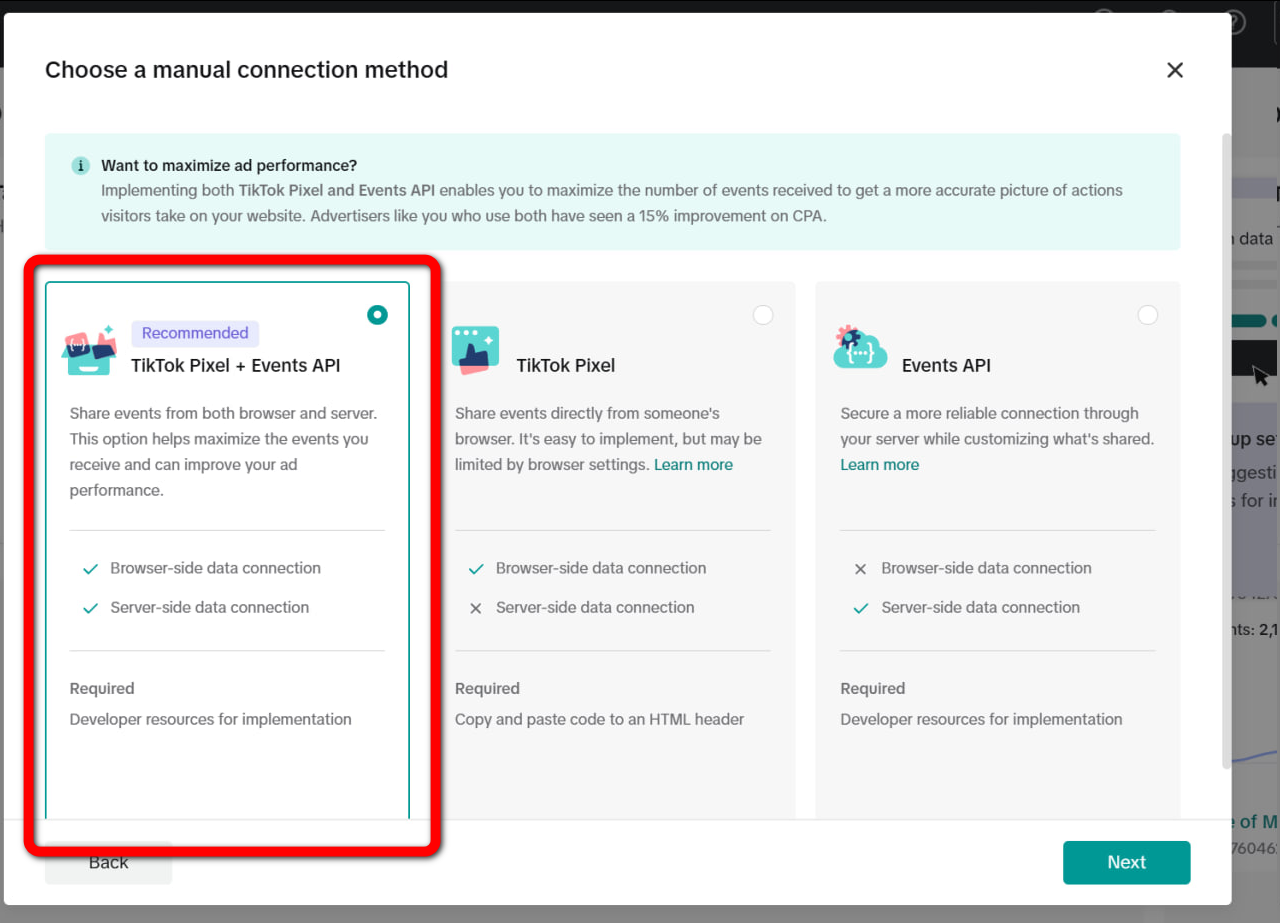
- Select TikTok Pixel + Events API.
-
Enter a name for your pixel.
-
Go to the Setup Events section and click Switch to Custom Code.
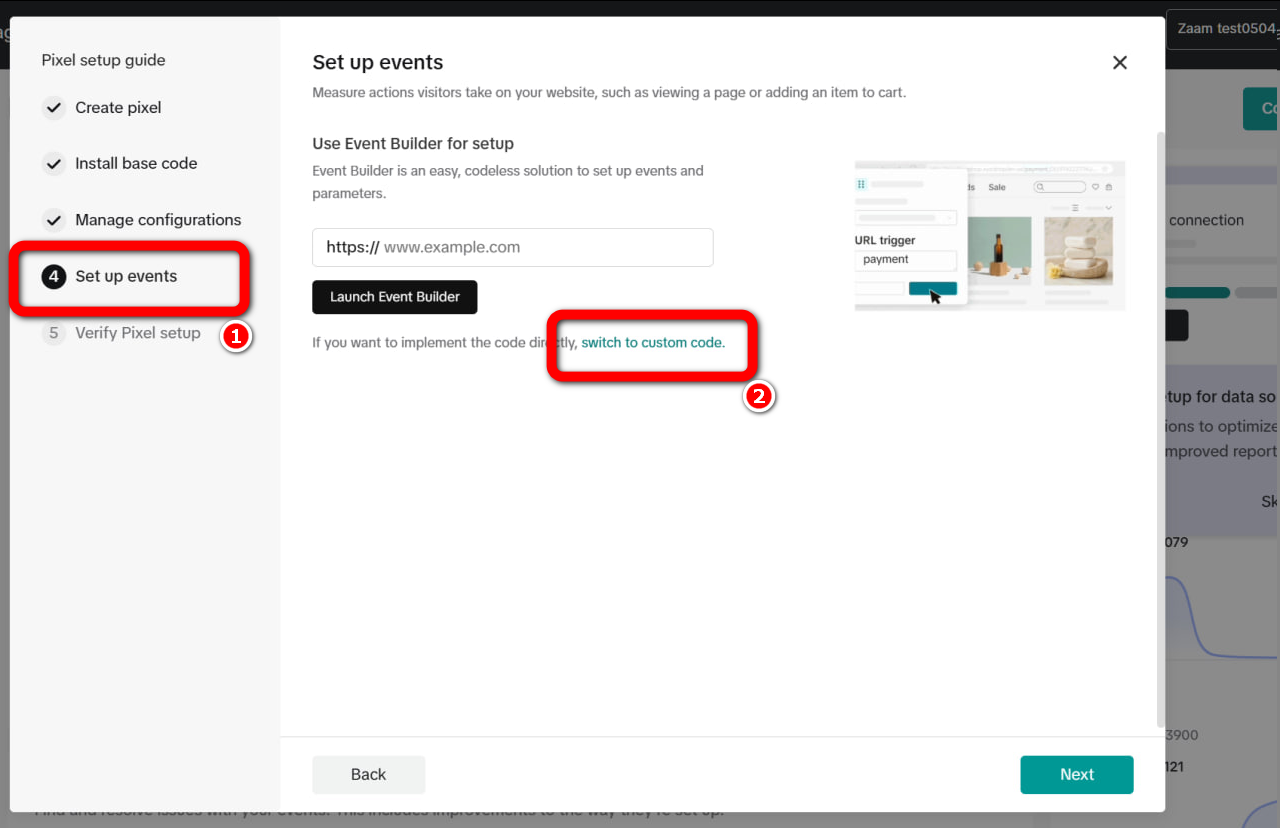
- Select the Application Submission template and add the required events:
DownloadComplete RegistrationPurchase
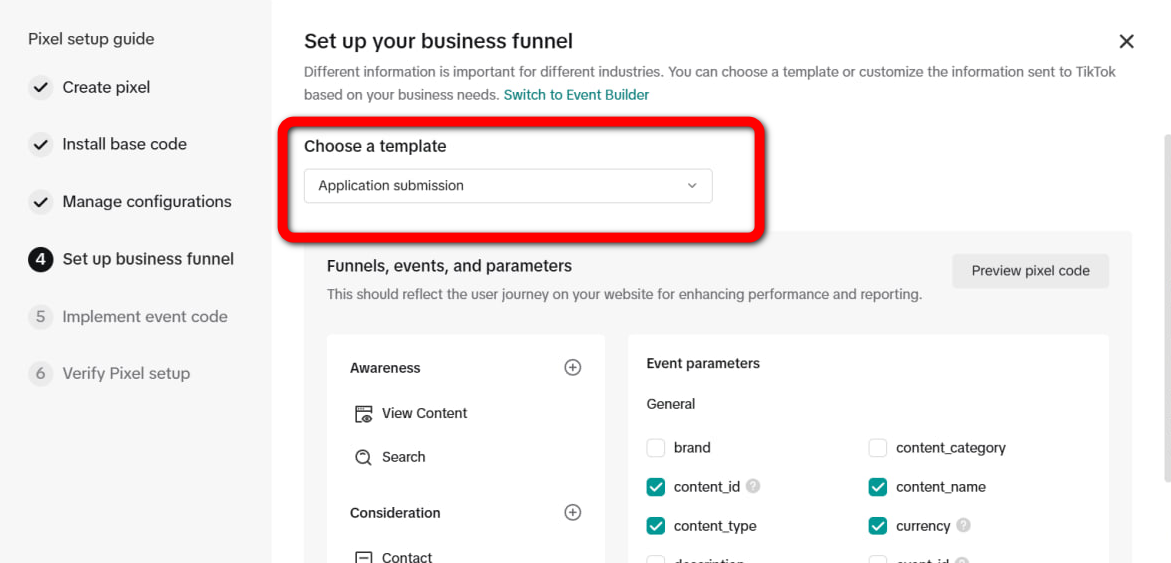
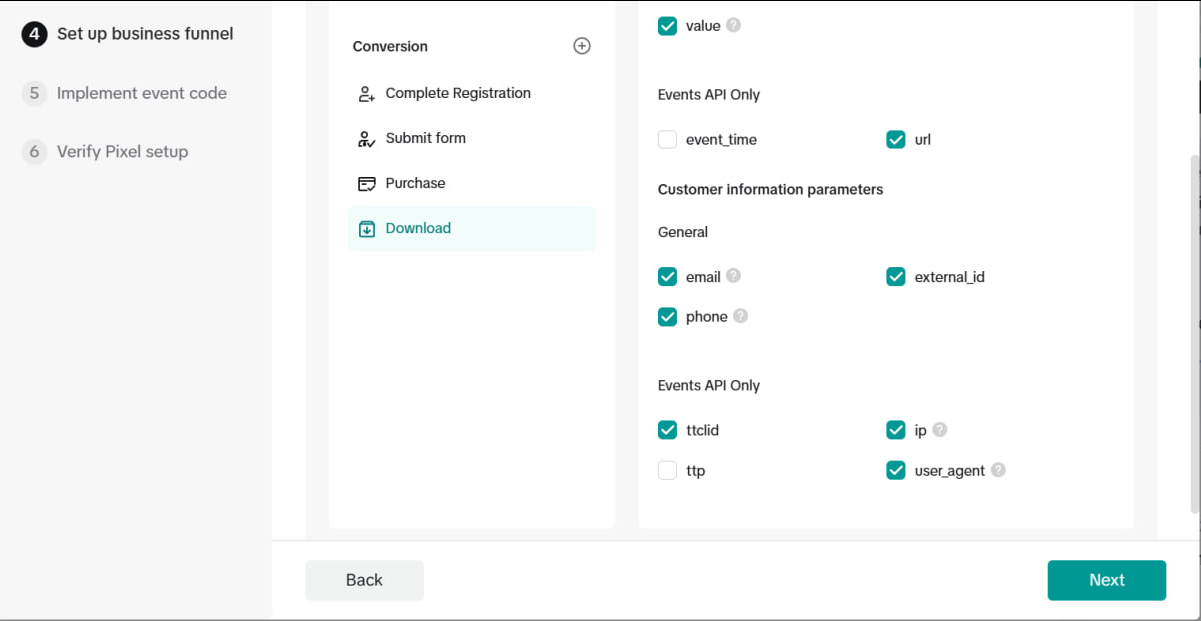
- Finish the setup and save the pixel.
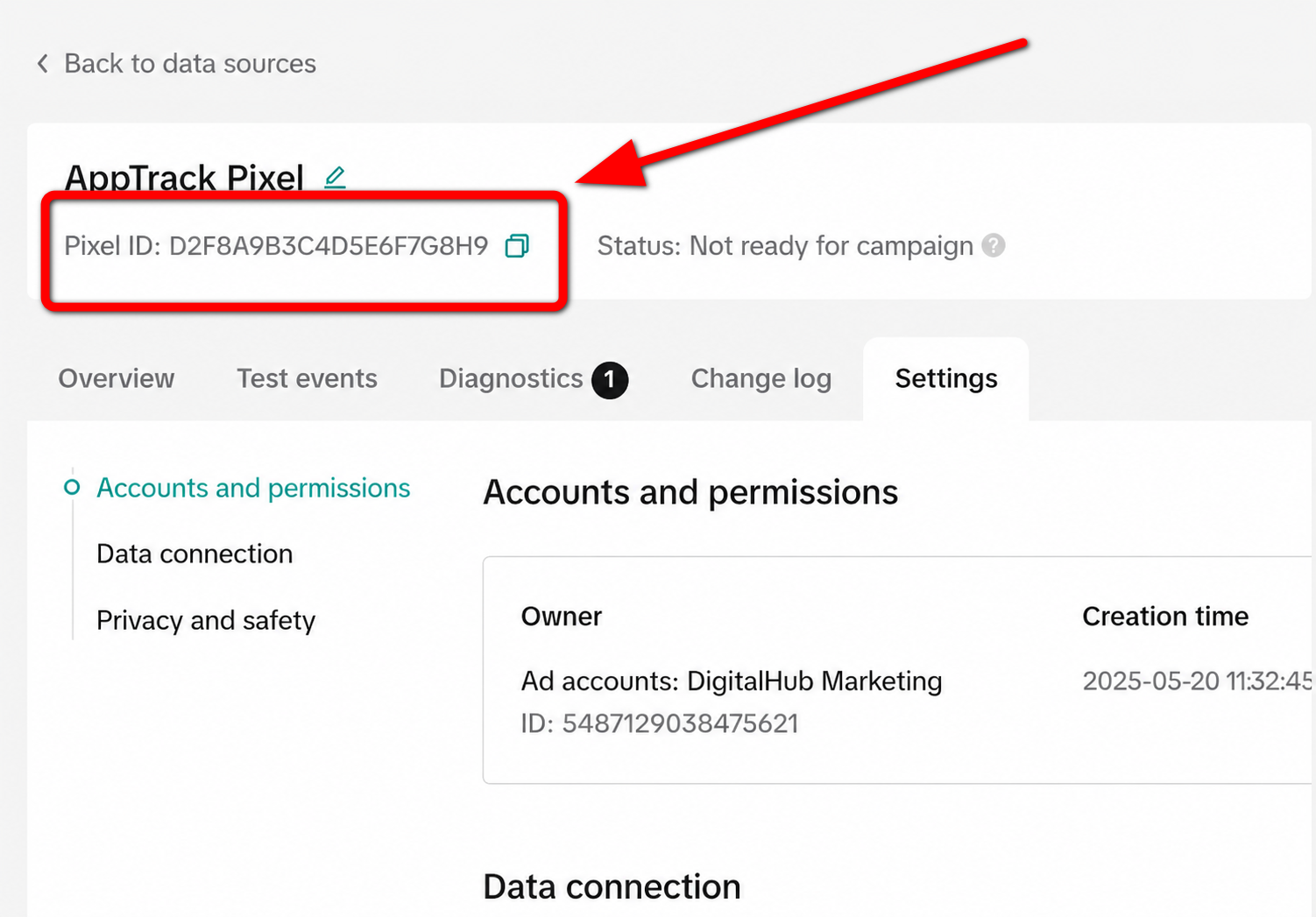
Your TikTok Pixel is now ready to use. The Pixel ID is displayed in the top-left corner of the page.
How to get a TikTok Access Token
- Open the pixel Settings page.
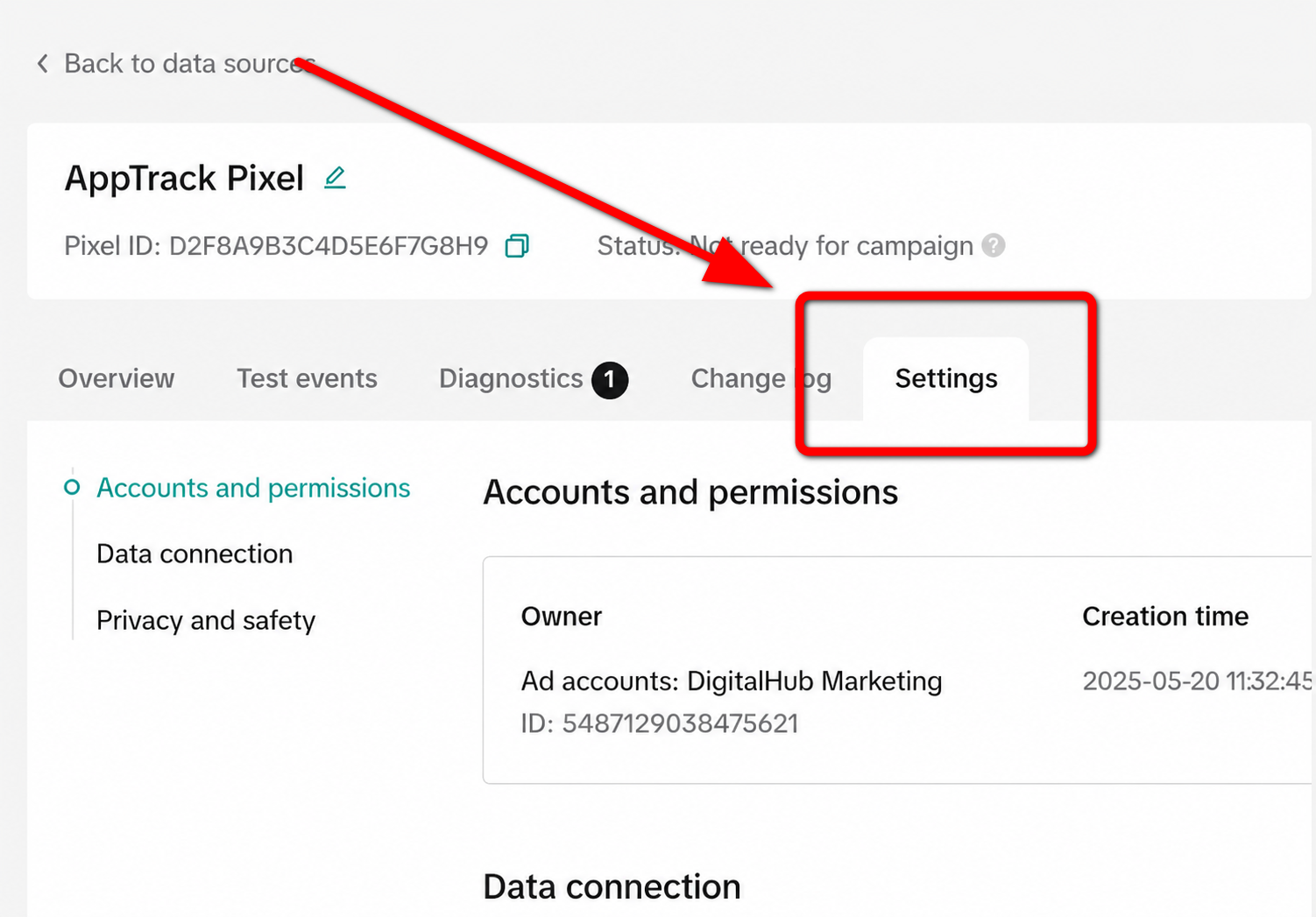
- In the Events API section, click Generate Access Token.
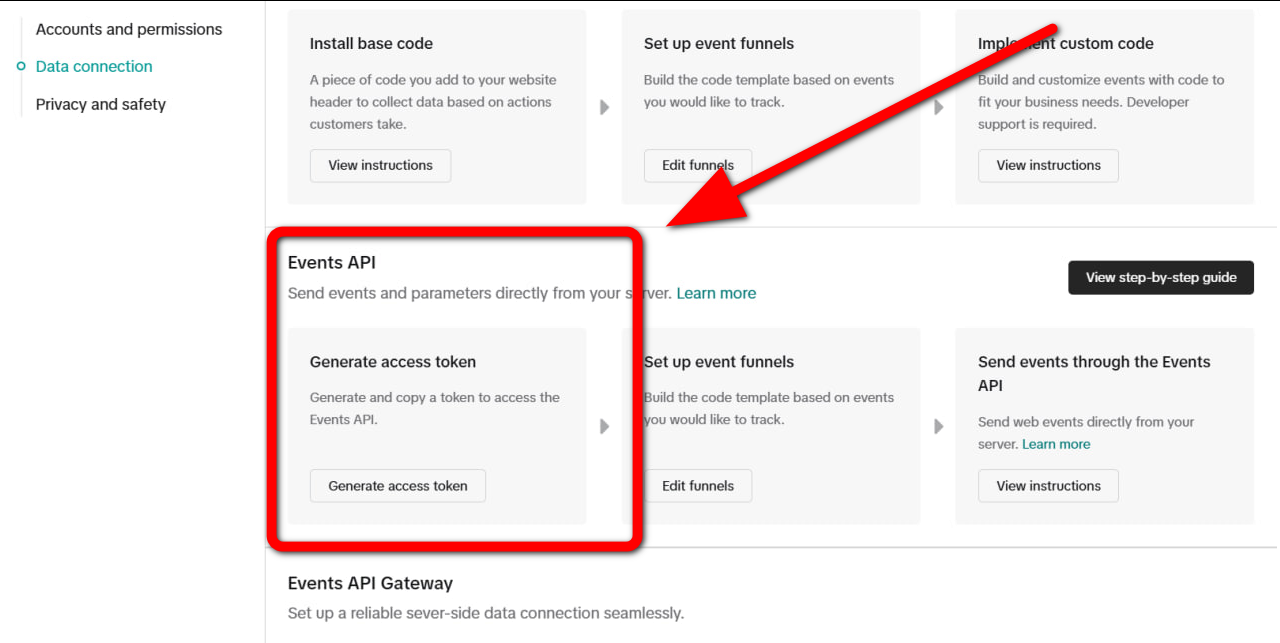
Your TikTok Access Token will be generated automatically. Save it for future use.
Info
If you are working with TikTok traffic and using TikTok Pixel, make sure to add ?ttclid=__CLICKID__ as the first parameter in the final URL.
Without it, events will not be properly tracked by the pixel.
Example: https://example708.info?ttclid=__CLICKID__