Referral Program
The referral program allows you to invite new users to the service and earn a reward for it.
If a user signs up using your referral link and adds funds to their balance, you receive a percentage of their first deposit.
How the ZM apps referral program works
- You get your unique referral link in your personal dashboard.
- Send this link to new users.
- The user follows the link, signs up, and starts using the service.
- When the invited user makes their first balance deposit, your referral reward is automatically credited.
Under the standard terms, you receive 10% of the invited user’s first balance deposit.
How to get your referral link
Your referral link is available in your dashboard in the Referral Program section.
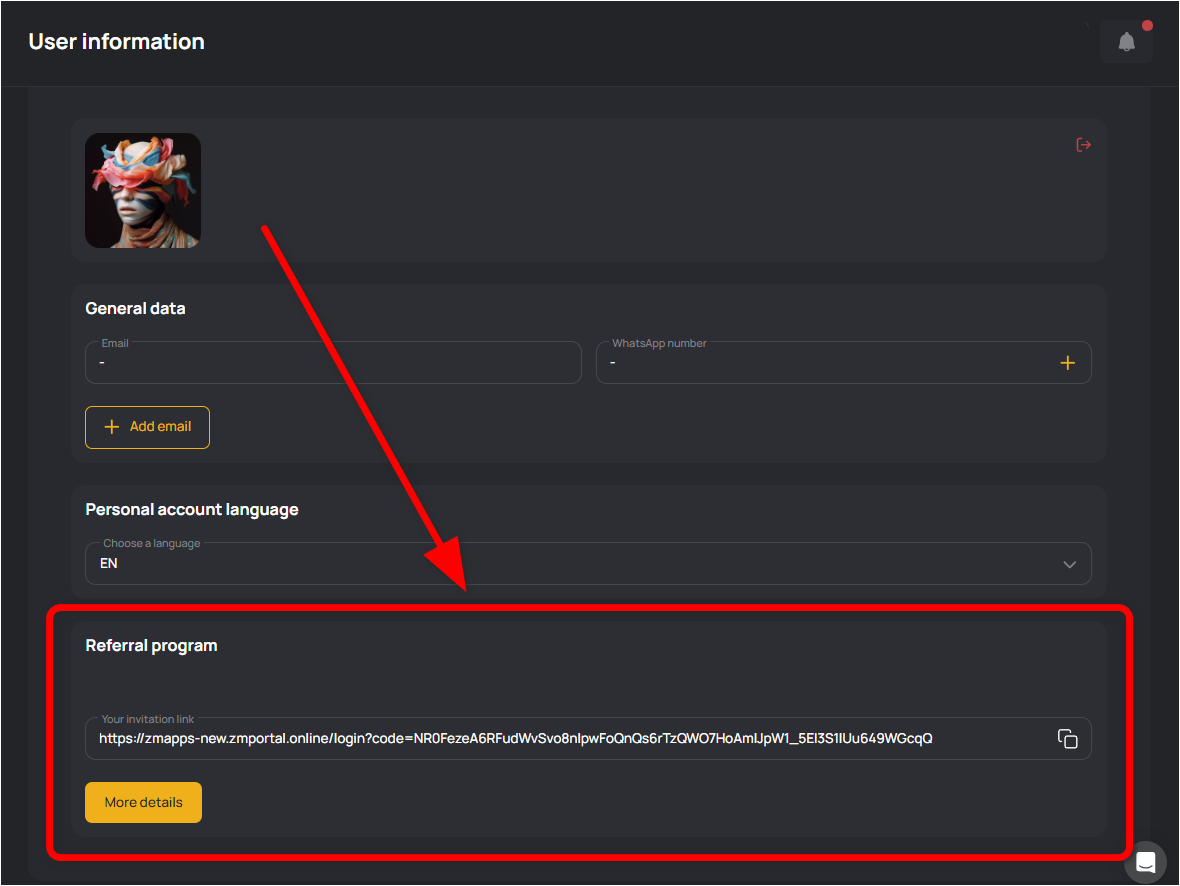
This is your personal link. When a new user follows it, the referral code is automatically filled in on the registration page, and the system records that the user registered through your invitation.
The code is located in your referral link after the code= parameter.
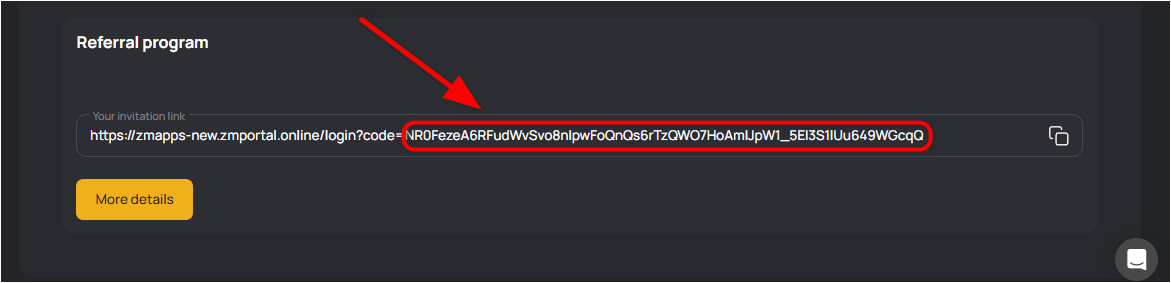
During registration, a user can manually enter this code in the Referral code field, and the account will be linked to you as a referral.
The My referrals section contains a list of users who registered using your link and allows you to track their registrations.
Referral rewards are credited automatically when the invited user makes their first balance deposit. Your current referral balance is displayed in the Withdraw funds section.
Withdraw funds
Funds from the referral balance can be transferred to your main account balance. A 1.20 coefficient is applied during the transfer.
An invited user pays for the Basic plan — $390.
You receive 10% = $39 as referral income.
When withdrawing, the coefficient is applied, so $46.8 will be credited to your main balance.
Use your referral link, invite new users to the service, and earn additional income.